

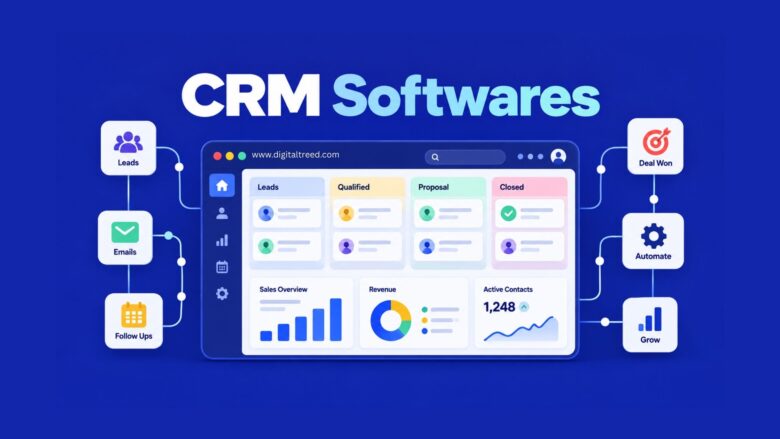
CRM software centralizes every customer interaction, from a first email to a closed deal, so sales, marketing, and support teams work from the same information instead of scattered spreadsheets and inboxes. The right pick depends heavily on team size and budget: HubSpot and Zoho lead for teams that want a generous free tier, Salesforce and Microsoft Dynamics 365 dominate at the enterprise level, and Pipedrive or monday CRM fit sales-focused teams that want something simpler to set up. Below is a full breakdown of what CRM software actually does, the best platforms available right now with real 2026 pricing, and a practical framework for choosing between them.
What Is CRM Software?
Customer relationship management, or CRM, is both a business strategy and the software built to support it. At its core, a CRM is a database of contact information and interaction history for every customer or prospect a business deals with. Rather than leaving that information scattered across sticky notes, personal inboxes, and someone’s memory, CRM software gives an entire team one shared, searchable system of record.
The strategy behind it rests on two ideas: presenting a unified face to the customer no matter which employee they talk to, and giving that customer a consistent, seamless experience across every touchpoint, whether that’s email, phone, live chat, or social media. The software is what makes that strategy actually workable once a business grows past the point where everyone can just remember who said what.
Types of CRM Systems
Not every CRM solves the same problem, and understanding the three broad categories helps narrow the list fast:
Operational CRM focuses on automating day-to-day sales, marketing, and service processes: lead capture, email sequences, ticket routing. This is what most small and mid-sized businesses mean when they say “CRM,” and it’s where platforms like Pipedrive and monday CRM specialize.
Analytical CRM emphasizes reporting on the customer data already collected: purchase patterns, campaign performance, lifetime value. Larger organizations often layer analytical CRM tools on top of an operational system rather than replacing it.
Collaborative CRM is built around sharing customer information across departments and sometimes across companies, useful when sales, support, and account management all need visibility into the same customer relationship. HubSpot and Zoho both lean into this model with their multi-hub structures.
Most CRM platforms today blend all three to some degree, but knowing which one a business needs most helps cut through vendor marketing that claims to do everything equally well.
Key Features of CRM Software
Across categories, most CRM platforms provide some combination of the following capabilities.
Customer Data Management
The foundational feature: collecting and organizing contact information and interaction history across email, phone, web chat, and social media into one profile per contact.
Sales Acceleration and Automation
CRM software streamlines repetitive sales tasks so reps spend less time on admin work. This typically includes automatic quote generation, order processing, contact updates, follow-up email sequences, sales forecasting, and pipeline visibility.
Marketing CRM Capabilities
While CRMs are traditionally sales-focused, most now include marketing features too: lead scoring, campaign tracking, and reporting on which leads actually convert to sales. Integrating a CRM with marketing automation, a CMS, and e-commerce platforms lets marketers target messages more precisely and track results within the same system sales already uses.
Reporting and Analytics
Dashboards that show pipeline health, team performance, and forecasted revenue, letting managers spot bottlenecks before they become quarter-ending problems.
Best CRM Software List for 2026
Here’s a detailed look at the platforms consistently rated highest across Forbes Advisor’s 2026 CRM rankings and G2’s CRM category, which aggregates thousands of verified user reviews across nearly 800 CRM products.
1. SendPulse CRM
The platform specializes in online marketing automation and offers one of the best CRM solutions on the market. SendPulse’s CRM serves as a centralized hub for all customer data, along with segmentation and personalization features. When it comes to the multichannel marketing capabilities of the platform, SendPulse offers bulk email service, SMS marketing, WhatsApp campaigns, and conversational marketing via chatbots. The service is constantly improving, adding new features, with the latest being WhatsApp CRM integration that allows businesses to plan and launch WhatsApp marketing campaigns, track deals, and monitor conversions.
2. HubSpot CRM
Unlimited users on the free plan is the detail that gets HubSpot onto almost every shortlist, since most competitors cap free seats at three or five. Paid tiers layer on automation and deeper reporting starting around $20 per user monthly, though the jump to Professional brings a base cost near $890 a month plus a mandatory onboarding fee, a cliff worth knowing about before you outgrow the free plan. Where HubSpot earns its reputation is connecting marketing, sales, and service around one shared record, so a support ticket and a sales conversation about the same customer don’t live in separate systems.
3. Salesforce
Roughly 23% of the CRM market runs on Salesforce, and that scale shows up in just how much the platform can be configured to do. Entry plans start around $25 per user monthly, but enterprise tiers climb past $300 per seat, and larger deployments commonly carry implementation costs running into the tens or hundreds of thousands of dollars once a partner is involved. It’s rarely the right first CRM for a small team. It’s usually the right one once a business has already outgrown two or three simpler tools and has both the budget and the internal resources to configure it properly.
4. Zoho CRM
The free plan tops out at three users, but the paid tiers, running roughly $14 to $52 per user monthly, pack in more customization and third-party integration than most CRMs at this price point. If you’re already using other Zoho products, Zoho One bundles the entire suite for about $45 per user, often working out cheaper than a single seat of a pricier standalone CRM. Reviewers consistently flag the same trade-off: strong flexibility, but an interface that takes longer to get comfortable in than something like Pipedrive.
5. Pipedrive
No free tier here, but the Essential plan (around $14 to $24 per user monthly) hands you full pipeline management on day one, without wading through modules you don’t need. Pipedrive made a deliberate choice to stay narrow, skipping built-in marketing or service tools in favor of doing sales pipeline visualization better than platforms trying to do everything at once. For a sales-only team, that focus is usually a feature, not a limitation.
6. monday CRM
Advertised at $12 per seat with a 3-seat minimum, though it’s worth reading the fine print: the entry Basic plan skips automations and email sync entirely, so most teams end up on a mid-tier plan closer to $17 to $28 per seat once they add what they actually need. What you’re really paying for is the same drag-and-drop board interface monday.com built its reputation on, repurposed specifically for sales pipelines, which makes it a natural fit if your team already lives in monday for other work.
7. Freshsales (Freshworks)
At around $9 per user monthly for the cheapest paid tier, plus a genuine free option, Freshsales undercuts most competitors on price without stripping out the basics. Built-in phone and chat mean a small team can skip buying and integrating a separate calling tool, which is often where CRM costs quietly add up elsewhere.
8. Microsoft Dynamics 365 Sales
This one makes the most sense as a question of ecosystem fit rather than features in isolation. Dynamics 365 is part of Microsoft’s broader business intelligence and ERP suite, available as SaaS or on-premise, and its real advantage shows up in how tightly it connects to Outlook and Teams for organizations already standardized on Microsoft 365.
9. ActiveCampaign
Rather than treating CRM and marketing automation as separate purchases, ActiveCampaign bundles email marketing, automation, and sales tracking into one subscription. Small businesses that don’t want to manage and pay for two separate platforms tend to be the best fit here.
10. Insightly
Compliance is the whole story with Insightly: HIPAA and GDPR certification, plus granular controls over item visibility, user roles, and single sign-on. Healthcare and legal teams, where a general-purpose CRM’s compliance posture usually isn’t enough, make up much of its actual user base.
11. Keap
Built specifically for solo entrepreneurs and very small teams, Keap pairs CRM with marketing automation while trying to avoid the setup complexity that larger platforms carry. It won’t scale the way HubSpot or Salesforce will, but that’s not really the audience it’s chasing.
12. Zendesk Sell
If your support team already runs on Zendesk, adding Sell keeps a customer’s support history and sales conversation in the same place instead of forcing reps to check two separate systems for the full picture.
13. SugarCRM
Most CRMs on this list are cloud-only. SugarCRM isn’t, offering on-premise and hybrid deployment for organizations with specific data residency requirements that rule out a pure cloud solution.
Quick Comparison Table
| CRM | Starting Price | Free Plan | Best For |
|---|---|---|---|
| SendPulse CRM | Free, paid plans available | Yes | Multichannel marketing + CRM in one hub |
| HubSpot CRM | Free, paid from ~$20/user/mo | Yes, unlimited users | Marketing + sales alignment |
| Salesforce | ~$25 to $300+/user/mo | No | Large enterprise, deep customization |
| Zoho CRM | Free (3 users), paid from ~$14/user/mo | Yes, limited | Budget-conscious feature-rich teams |
| Pipedrive | ~$14-24/user/mo | No | Pure sales pipeline focus |
| monday CRM | ~$12-28/user/mo (3-seat min) | No | Teams on the monday.com ecosystem |
| Freshsales | Free, paid from ~$9/user/mo | Yes | Built-in phone/chat, low cost |
| Microsoft Dynamics 365 | Custom/enterprise pricing | No | Microsoft-standardized organizations |
| ActiveCampaign | Bundled pricing | No | Small business marketing + CRM |
| Insightly | Mid-range pricing | Limited trial | HIPAA/GDPR-regulated industries |
How to Choose the Right CRM for Your Business
Rather than starting from a feature checklist, work through these questions in order:
- What’s your team size and will it grow fast? Per-seat pricing models mean a 5-person team paying $25 a seat sees costs climb fast as headcount grows, even if actual usage doesn’t change proportionally. Estimate cost at your expected size in 12 months, not just today.
- Do you need marketing and sales in one system, or just sales? If marketing and sales already work closely together, an all-in-one platform like HubSpot avoids integration headaches. If you need pure pipeline management, a narrower tool like Pipedrive is often faster to set up and cheaper.
- What’s your realistic implementation budget? Enterprise platforms like Salesforce can involve five- or six-figure implementation costs beyond the listed per-seat price. Smaller platforms are usually self-serve, but budget for a data migration cost regardless of vendor.
- Do you have compliance requirements? If you’re in healthcare, legal, or another regulated industry, confirm HIPAA, GDPR, or other relevant compliance upfront rather than after rollout.
- What do you already use that needs to integrate? A CRM that doesn’t connect cleanly to your existing email, calendar, and accounting tools creates ongoing manual work that erodes the time savings a CRM is supposed to deliver.
Why CRM Implementations Fail (And How to Avoid Joining the Statistic)
Buying the right software is only part of the equation. Depending on which analyst firm you ask, somewhere between 30% and 70% of CRM implementations fail to meet their original objectives, a range that’s stayed stubbornly consistent across two decades of studies from Gartner, Forrester, and independent research firms. The gap between those numbers comes down to how “failure” gets defined (missed objectives, blown budgets and timelines, or outright cancellation), but the underlying causes show up again and again regardless of which study you read.
The most cited breakdown attributes roughly 43% of failures to poor user adoption, 34% to bad data quality carried over from the old system, and 22% to insufficient training, with technical problems in the software itself accounting for a surprisingly small share, often cited around 6 to 10%. In other words, the tool usually isn’t the problem. How it gets rolled out is.
A few patterns worth planning around before you sign a contract:
Enterprise deployments fail more often than SMB ones. Larger implementations carry more organizational complexity and internal politics, which is part of why a well-adopted Pipedrive rollout at a small company often outperforms a poorly adopted Salesforce rollout at a large one on the metrics that actually matter.
Months three through six after go-live are the highest-risk window. Initial training enthusiasm fades, and without reinforcement, old habits like tracking deals in a personal spreadsheet tend to creep back in.
A simpler tool with fast time-to-value can beat a more powerful one with a six-month learning curve. If your team doesn’t have dedicated CRM administration support, a platform with a steep configuration curve carries real adoption risk regardless of how many features it offers on paper.
Clear, measurable objectives set before implementation correlate strongly with success. Teams that adopt CRM software without defining what they’re actually trying to achieve tend to end up with a well-configured system nobody consistently uses.
Industry-Specific CRM Recommendations
General-purpose CRMs work fine for most businesses, but a few industries are better served by specialized platforms built around their specific workflow.
Real estate. Agents juggling MLS/IDX feeds, drip email campaigns, and lead-source tracking often outgrow general CRMs quickly. Wise Agent remains a strong low-cost option for solo agents at around $49 per month, with transaction management and drip marketing built in from the start. IXACT Contact stands out specifically for agents who lean on social media lead generation, though its social tools cost an additional $20 monthly. Larger teams with more complex listing volume often look at Lone Wolf or Follow Up Boss for their lead-routing and team-performance features.
Nonprofits. Fundraising and donor retention require different tooling than sales pipelines. Salesforce Nonprofit Cloud is the enterprise-grade option, offering nonprofit-specific data models and case management, though it carries the same implementation complexity and cost as standard Salesforce. Bloomerang is purpose-built around donor retention specifically, which matters given that sector-wide first-year donor retention sits at under 32% according to recent Fundraising Effectiveness Project benchmarks. Givebutter offers a notably different pricing model: free to use, funded by an optional donor tip rather than a subscription fee, which appeals to smaller organizations watching every dollar.
Agencies and professional services. Client-facing agencies often need project visibility alongside contact management, which is part of why monday CRM and HubSpot both see heavy adoption here: the board-based or hub-based structure adapts more easily to project-based client work than a pure sales pipeline tool does.
Data Security and Privacy: What to Check Before You Buy
CRM systems hold some of a company’s most sensitive data: customer contact details, deal values, sometimes payment or health information depending on the industry. A few checks are worth running regardless of which platform you’re considering:
- Compliance certifications relevant to your industry. HIPAA for healthcare, GDPR for any European customer data, and SOC 2 Type II as a general baseline for how a vendor handles security controls over time, not just at a single audit snapshot.
- Data ownership and export terms. Confirm you can export your full customer database in a usable format if you switch vendors later. Some platforms make this straightforward; others make it deliberately painful to discourage churn.
- Role-based access controls. Not every employee needs to see every customer record. Platforms like Insightly build granular permissions in as a core feature specifically for this reason, which matters more as your team grows past a handful of people.
- Where your data is physically hosted. Some regulated industries and some countries have data residency requirements that rule out certain cloud-only vendors entirely, which is where a hybrid or on-premise option like SugarCRM becomes relevant.
The CRM software market continues to grow quickly. According to Grand View Research, the global CRM market was valued at roughly $79.6 billion in 2025 and is projected to reach $161.3 billion by 2033, with cloud deployment and the small-and-medium-enterprise segment growing fastest. (Different research firms measure the market’s scope differently, so exact figures vary by source, but all major analysts agree on strong double-digit growth.)
The clearest shift this year is AI moving from an add-on to an expected feature. Several vendors, including monday, Freshsales, and Close, now include AI capabilities at every pricing tier, while others like Salesforce and HubSpot charge a separate premium for their AI layer, which can add meaningfully to the real per-seat cost beyond the advertised price.
Frequently Asked Questions
What is the best CRM software overall? There isn’t one universal answer here, and be skeptical of any list that claims otherwise. HubSpot and Zoho consistently top rankings for small to mid-sized teams wanting a generous free or low-cost tier, while Salesforce leads at the enterprise end for organizations that need deep customization and have the budget to match. The “best” one is really the one that fits your team size and workflow, not the one with the highest review score in isolation.
Is there a good free CRM system? Yes. HubSpot CRM’s free plan supports unlimited users with core contact and deal management, which is unusually generous. Zoho CRM’s free tier caps at three users, and Freshsales also offers a free option for smaller teams.
What’s the difference between CRM software and marketing automation software? CRM centers on managing individual relationships, usually from a sales angle. Marketing automation runs campaigns across many contacts at once. HubSpot and ActiveCampaign both blur this line by combining the two.
How much does CRM software typically cost? Anywhere from free to $300-plus per user monthly for enterprise Salesforce plans. Most small business CRMs land in the $10 to $50 per user monthly range, though onboarding fees and AI feature add-ons can push the real cost higher than the sticker price suggests.
What are the main types of CRM systems? Operational CRM automates day-to-day sales, marketing, and service tasks. Analytical CRM focuses on reporting and data analysis. Collaborative CRM emphasizes sharing customer data across departments. Most platforms sold today blend all three to varying degrees.
Which CRM is best for a small business just starting out? Freshsales or Zoho’s free tiers are common starting points simply because they cost nothing at low volume. If marketing alignment matters from day one, HubSpot’s free plan is worth starting with instead.
Do I need a CRM if my business is very small? Once you have more contacts and follow-ups than one person can reliably track without something slipping through, a CRM starts paying for itself, even at a team of two or three.
Why do so many CRM implementations fail? Studies consistently point to poor user adoption, bad data carried over from the old system, and insufficient training as the leading causes, not problems with the software itself. Setting clear objectives before rollout and reinforcing training past the first few weeks meaningfully improves the odds of success.
Is there a CRM built specifically for real estate agents? Yes. Wise Agent, IXACT Contact, and Lone Wolf are all built around real estate-specific workflows like MLS/IDX integration and drip email campaigns, and are generally a better fit than a general-purpose CRM once an agent’s lead volume grows.
What should nonprofits look for in a CRM? Donor retention and fundraising campaign tracking matter more than sales pipeline features. Bloomerang focuses specifically on donor retention, Salesforce Nonprofit Cloud offers enterprise-scale case management, and Givebutter uses a free, tip-funded pricing model that smaller organizations often prefer.
Conclusion
The right CRM software depends far more on your team’s size, budget, and workflow than on any single “best overall” ranking. HubSpot and Zoho offer the most accessible entry points for growing businesses, Salesforce and Microsoft Dynamics 365 handle enterprise-scale complexity, and focused tools like Pipedrive or Freshsales suit teams that want sales pipeline management without extra bloat. Whichever you choose, run the numbers at your projected team size a year out, not just today’s headcount, since per-seat pricing is where CRM costs most commonly surprise growing teams.
