

If you’re a founder or small-business owner, you know the pattern. You finish a strong demo, close your laptop, and realize you have not prospected in three days. The pipeline gets unpredictable, and revenue starts to follow a feast-or-famine cycle that makes planning hard.
The answer is not always another sales tool. Often, it is a person who can handle repeatable research, outreach prep, and CRM updates while you focus on conversations that move deals forward. This guide explains what that person does, how to choose the right hiring model, and how to onboard them with a clear 30-60-90 plan so quality and compliance are built in from the start.
What This Role Actually Covers
A lead generation assistant supports the early stages of the sales process. Their work is most useful when tasks are clearly defined, measurable, and tied to your ideal customer profile.
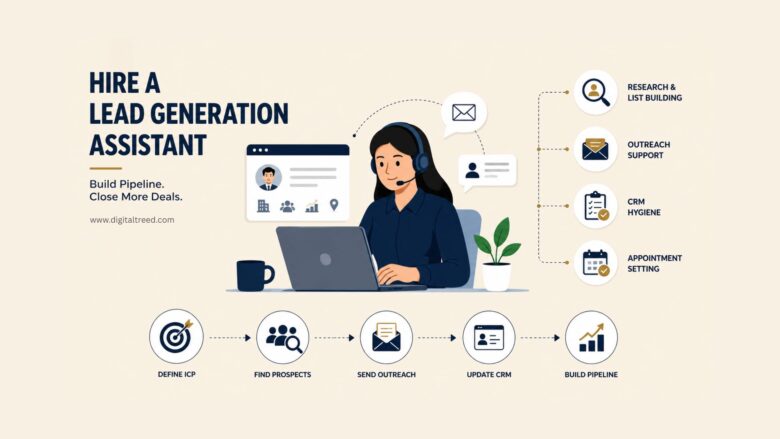
Research and List Building
A prospecting assistant starts by turning your ideal customer profile (ICP) into a usable contact list. That means identifying companies that match your firmographic criteria, such as industry, headcount, and revenue range, then finding the right decision-makers. They also enrich records with verified emails, LinkedIn URLs, and useful context, such as recent funding rounds or job postings. The goal is a clean, accurate list your outreach can rely on.
Outreach Support
Once the list is ready, the assistant drafts first-touch emails using your approved templates, adds light personalization, schedules follow-ups in your sequencing tool, and holds calendar slots for booked calls. They are not closing deals. They are keeping a steady cadence of touches going so prospects do not slip through the cracks.
CRM Hygiene
Every touch, reply, and status change should be logged. The assistant tags contacts by stage, deduplicates records, and updates pipeline fields so your reporting stays accurate. Over time, clean data supports better segmentation, tighter targeting, and fewer wasted sends.
Hand-offs and Appointment Setting
When a prospect replies with genuine interest, the assistant passes that conversation to you or your account executive with a short summary of the context. As they ramp up, they can also handle basic appointment setting, including confirming times, sending calendar invites, and briefing you before each call.
Why It Helps Lean Teams
Small sales teams often struggle because prospecting is important but easy to postpone. A trained assistant gives the work a clear owner and helps keep the top of the funnel active.
Time Savings and Focus
Prospecting tasks are necessary, but many are repetitive. Offloading research, list cleanup, and follow-up scheduling frees you to spend more time on demos, proposals, and closing conversations where your judgment matters most.
Consistency Over Sprints
A daily prospecting cadence usually beats the common pattern of blitzing for a week and then going silent. Even a modest, steady volume of outreach can produce a more reliable pipeline than occasional intense efforts.
Data Quality That Compounds
A well-maintained CRM is more than tidy. It helps you target better, forecast more accurately, and reduce bounced emails that can hurt your sender reputation.
Map the Process Your Assistant Will Follow
Before you hire anyone, document the lead generation workflow they will execute. A simple written process removes guesswork and makes quality measurable from the start.
Define Your ICP and Sources
Write down the characteristics of your best customers: industry, company size, job titles, geography, and any disqualifying traits. Then list the approved data sources, such as LinkedIn Sales Navigator, industry directories, or your existing CRM, so the assistant knows where to look and where not to.
Step-by-Step Process
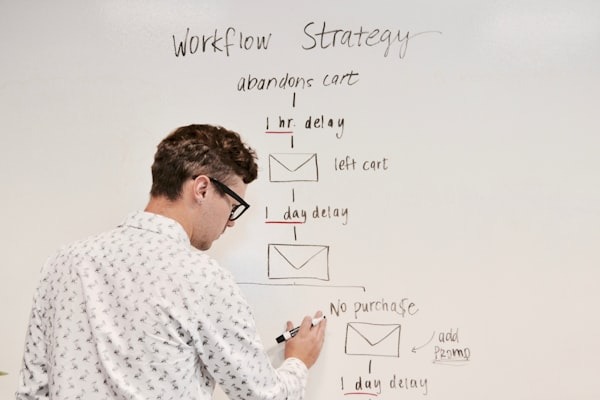
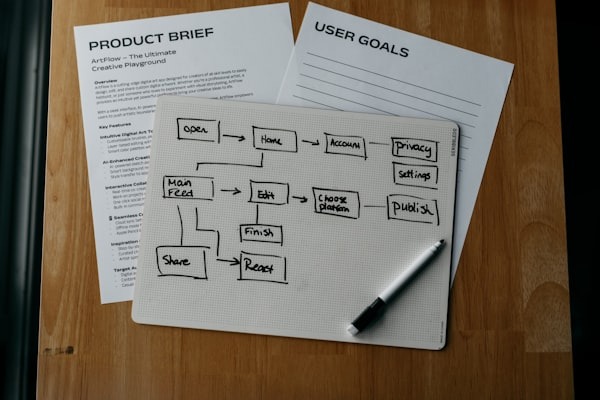
A typical sequence looks like this: identify a prospect, verify fit against the ICP, enrich contact data, draft a personalized first touch, send through the approved channel, log the activity in the CRM, and schedule follow-up touches at defined intervals. Mapping each step in a shared document makes onboarding faster and troubleshooting easier.
If parts of this workflow later need automation, keep a separate list of marketing automation ideas so tools support the process instead of replacing human review.
Quality Checklist
Set clear standards before outreach goes live. For example, your email bounce rate should stay below a target you define, every first touch should include at least one personalized sentence, and specific CRM fields, such as company name, title, source, and last touch date, should be filled before a record moves to the next stage. A short checklist prevents sloppy data from spreading through the pipeline.
Compliance note: Cold email, calls, and texting rules vary by channel and jurisdiction. Before launching outreach, review FTC CAN-SPAM guidance for email and TCPA/CTIA resources for calls and texts. Platform-specific rules, such as LinkedIn connection limits, also apply. Confirm current requirements with legal counsel or an up-to-date compliance resource.
Tooling and Access
Your assistant does not need a complex tech stack on day one. Start with the tools required to research, send, track, and report accurately, then add complexity only when the process is stable.
Minimum Stack
Keep it simple. You need a dedicated sending domain to help protect your primary domain’s reputation, a CRM, a spreadsheet or lightweight sequencing tool, and a shared calendar. Adding more tools later is easy. Starting with too many creates confusion.
Access and Permissions
Give the assistant the least access needed to do the job. Use a shared inbox for outreach, restrict CRM permissions to the records they manage, and avoid sharing login credentials for unrelated systems.
Templates and Snippets
Provide a library of approved messaging blocks: intro lines, value propositions, follow-up nudges, and a short voice guide. Let the assistant personalize within these guardrails rather than writing from scratch every time.
How to Hire: Freelancer, Managed, or In-House
There are three common models, each with real tradeoffs.
Pros and Cons of Each Option
Freelancer: This is usually the most flexible option for hours and cost. You choose the person directly. The downside is that you handle training, quality review, and backup coverage yourself. If the freelancer leaves, you start over.
Managed provider: A company assigns a trained assistant, sometimes with a backup, and handles oversight. You may get faster ramp time and less management burden, but you typically pay more and have less control over who does the work.
In-house part-time hire: This can offer stronger cultural alignment and easier integration into team meetings. However, even a part-time employee comes with payroll overhead, benefits considerations, and a longer hiring cycle.
Where to Source Candidates
Freelancers can be found on marketplaces like Upwork or through referrals from other founders. For managed options, a provider such as Wing Assistant may offer a lead generation virtual assistant service that covers prospect research, outreach support, and CRM updates. Compare that model with freelancers and in-house hires based on your budget, expected volume, and ability to manage quality. Referrals from founder communities and LinkedIn posts can also surface strong candidates.
Interview and Trial: What to Test in 7 to 10 Days
A short trial is more useful than a long interview alone. It shows whether the candidate can follow your process, communicate clearly, and produce work you can actually use.
Research Assignment
Ask the candidate to build a 50-contact sample list based on your ICP. Define the required fields, including name, title, company, email, and one personalization note, then check accuracy. A useful benchmark is that at least 90% of records should be usable without corrections.
Personalization Test
Have the candidate write five first-touch opening lines using your voice guide. Look for relevance, tone match, and whether each line references something specific about the prospect rather than offering a generic compliment.
Process Comprehension
Ask the candidate to explain, in their own words, the steps they would follow from receiving a new list to handing off a qualified reply. This shows whether they understand the workflow or are simply following instructions mechanically.
Onboarding Plan: 30, 60, 90 Days
Onboarding should move from accuracy to volume. If you push for scale too early, small mistakes in targeting, data entry, or compliance can multiply quickly.
First 30 Days
Focus on accuracy and SOP adoption. Set small daily quotas, such as 10 to 15 new contacts researched and logged. Review every batch for the first two weeks. By day 30, the assistant should be comfortable with your tools, templates, and quality checklist.
Days 31 to 60
Increase volume gradually. Introduce simple A/B tests on subject lines or opening lines. Tighten data rules based on what you learned in month one. Start tracking reply rates and bounce rates to spot patterns early.
Days 61 to 90
Expand to additional data sources or buyer personas if quality is consistent. Add light appointment setting only after the assistant has earned trust. Document any process improvements they contribute so your SOPs stay current.
What to Measure and How to Keep Quality High
Good measurement helps you improve the process without micromanaging the person. Focus first on leading indicators that show whether the inputs are reliable.
Leading Indicators
Track research accuracy, list completion rate, and reply categorization, such as interested, not now, and unsubscribe. These metrics tell you whether the process is working before revenue outcomes show up.
Process KPIs
Monitor touches logged per day, follow-up adherence, and CRM field completion rates. If scheduled follow-ups are not going out on time or fields are often incomplete, the issue may be unclear SOPs rather than a bad hire.
Review Cadence
Hold a short weekly check-in to review numbers and troubleshoot. Run a monthly retrospective to update SOPs, refine templates, and adjust quotas. Consistent feedback loops keep quality from drifting.
FAQ
These questions cover the practical details founders often ask before bringing on prospecting support.
A remote assistant can handle prospect research, contact list building, data enrichment, email drafting with light personalization, follow-up scheduling, CRM logging, and handing off qualified replies to a founder or closer. They typically do not run demos or negotiate deals.
Most founders start with 10 to 20 hours per week. This is enough to maintain a daily prospecting cadence without overwhelming a new hire during the learning phase. You can scale hours once accuracy and speed are consistent.
At minimum, give access to your CRM, a shared sending inbox, a spreadsheet for tracking, your calendar, and any approved data sources like LinkedIn Sales Navigator. Add sequencing tools only after the assistant is comfortable with the basics.
Expect the first 30 days to focus on learning and accuracy. By day 45 to 60, you should start seeing a steadier flow of outreach and the first qualified replies. Meaningful pipeline impact often takes closer to 60 to 90 days.
Wrapping Up
A prospecting assistant is not a magic hire. They are a process hire. The value comes from mapping a clear workflow before they start, choosing a hiring model that matches your oversight capacity, and onboarding in phases so accuracy comes before speed. Measure leading indicators weekly, update your SOPs monthly, and start with a short trial before committing to a long-term arrangement. When the process is clear, the person can do better work, and your pipeline becomes less dependent on sporadic prospecting sprints.
