
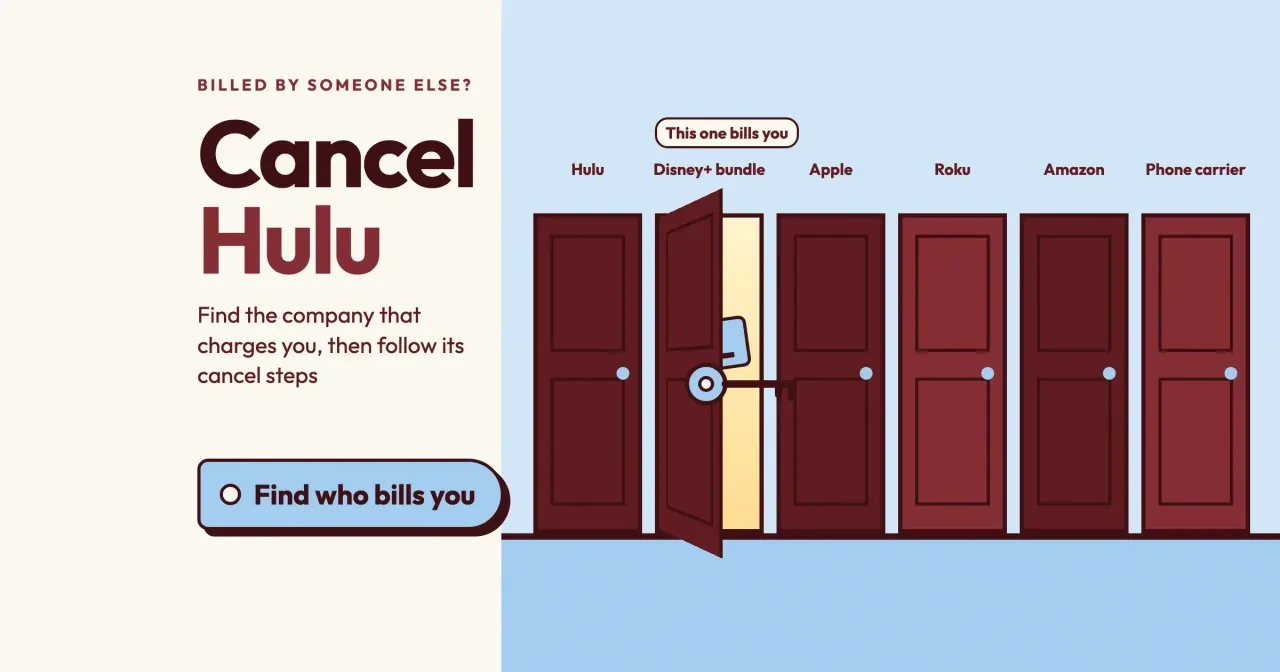
Quick answer
To cancel Hulu on Disney Plus, end the bundle on your Disney+ account page, where Hulu's help center sends Disney-billed subscribers (as of October 29, 2026). If Hulu, Roku, Amazon or T-Mobile bills you, Hulu.com is listed as a cancel route, which covers 4 of the 8 billers we checked. Start with Payment Information on your Hulu Account page.
Maybe you hunted for the Cancel button on Hulu.com and found a note that someone else bills you. A billing party is the company that actually charges you for Hulu, and it decides where the cancel happens.
We start with who bills you for Hulu and a table of where to cancel for eight billers. The steps follow by biller: a Hulu-billed plan on the Account page, the Disney+ bundle, Apple, Google, Roku and Amazon billing, then phone carrier plans. Last come what you keep, when to pause, and how to confirm the charges stopped.
Key takeaways
- Payment Information on your Hulu Account page names the company that bills you.
- Disney-billed bundles cancel on the Disney+ account page, not on Hulu.com.
- Hulu.com is a listed cancel route for Hulu, Roku, Amazon and T-Mobile billing.
- Canceling a bundle leaves an older Hulu plan billing until you cancel it too.
- Only Hulu, Amazon and Roku billing let you pause for up to 12 weeks.
Who bills you for Hulu?
The answer sits in one spot on Hulu's own site. Hulu's How to cancel Hulu page tells you to confirm your billing party in the Payment Information section of your Hulu Account page. Sign in at Hulu.com in a web browser rather than the TV app, open Account, and read the name printed under that heading before you touch anything else. If it says Hulu, the next steps are short.
Any other name means a partner holds your payment, and Hulu lists 12 of them, from Amazon and Apple to Kroger, Spotify and Verizon.
Hulu adds that people who pay through a third party "may need to contact their billing partner directly." So a missing Cancel button isn't a glitch. Your card statement is the backup when you can't sign in, since a charge from Apple, Google, Roku or a phone company points the same way. Five of the partners on Hulu's list aren't in our table: Comcast Xfinity, HBO Max, Kroger, Optimum and Spotify. The cancel page links a billing page for each. With the name in hand, the table below shows where it sends you.
Where to cancel for each of the eight billers
Once you have that name, match it to a row here. We read the billing pages for Hulu itself plus seven of its partners, then lined up the cancel route and the pause rule:
| Billing party | Where you cancel | Hulu.com listed as a route | Pause offered |
| Hulu | Hulu Account page, Cancel under Your Subscription | Yes | Yes, monthly plans |
| Disney+ bundle | Disney+ account page | No | No |
| Apple | Subscriptions in iPhone Settings or the Mac App Store | No | No |
| Subscriptions in Google Play | No | No | |
| Roku | Hulu.com, or Turn off auto-renew at Roku | Yes | Yes |
| Amazon | Hulu.com or Amazon Pay | Yes | Yes |
| Verizon | Add-ons and Apps in My Verizon | No | No |
| T-Mobile | Hulu.com | Yes | No |
Two patterns stand out. First, Disney+, Apple, Google and Verizon keep the cancel inside their own accounts, and Hulu's pages for them don't list Hulu.com as a route. Second, the pause option, a softer exit for anyone planning to come back after a few months, exists only for Hulu, Amazon and Roku billing.
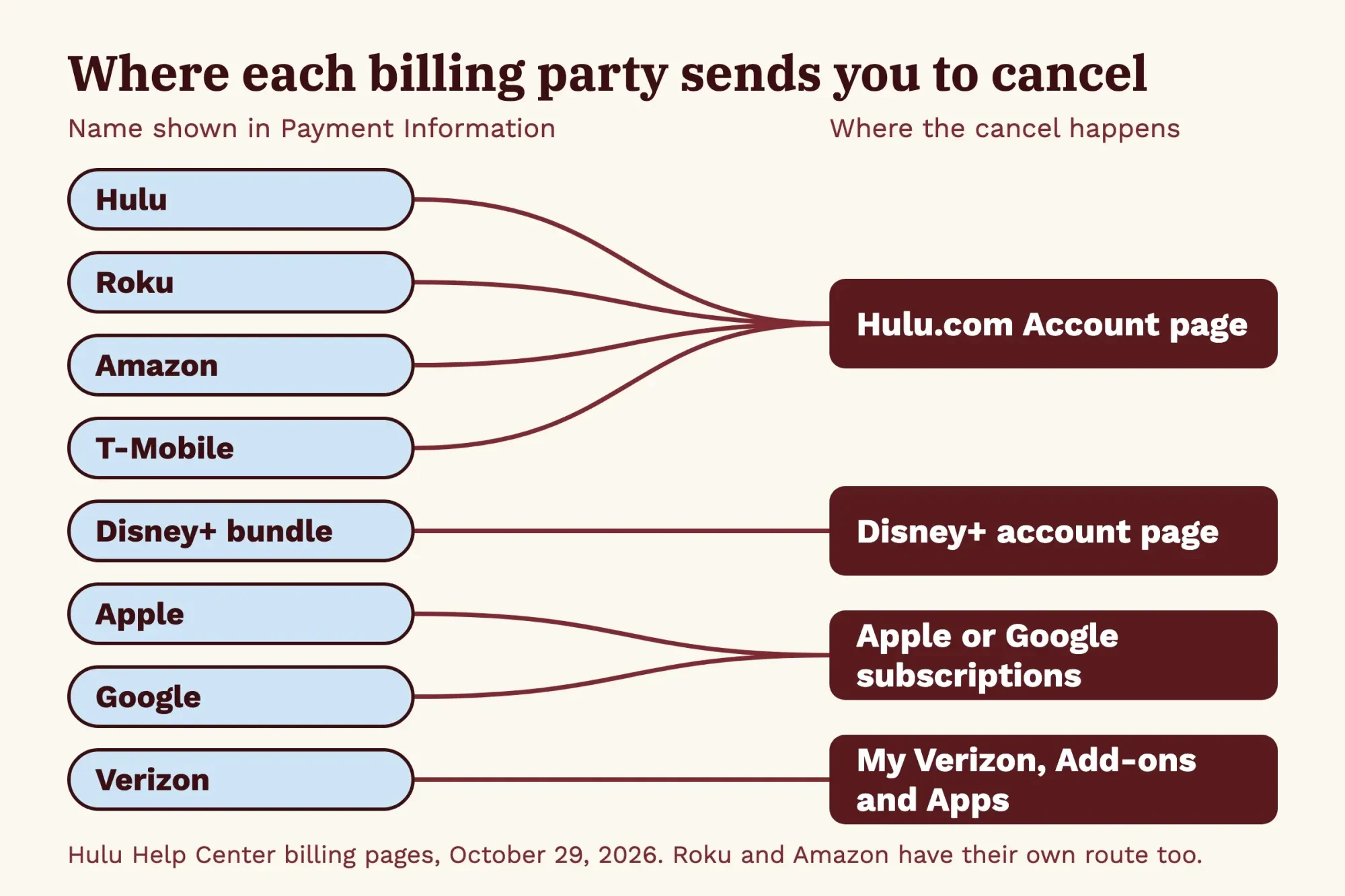 Diagram by DigitalTreed. Cancel routes from Hulu Help Center billing pages, read October 29, 2026.
What we tested
On October 29, 2026, we saved the text of 14 help pages and had a short script check each table row for its exact cancel sentence and pause rule. All 16 quotes matched word for word. The same data drives a lookup page we served on 127.0.0.1.
python3 check.py
billers 8; cancel quotes found 8/8; pause quotes found 8/8
Hulu.com listed as a cancel route for 4 of 8; pause offered for 3 of 8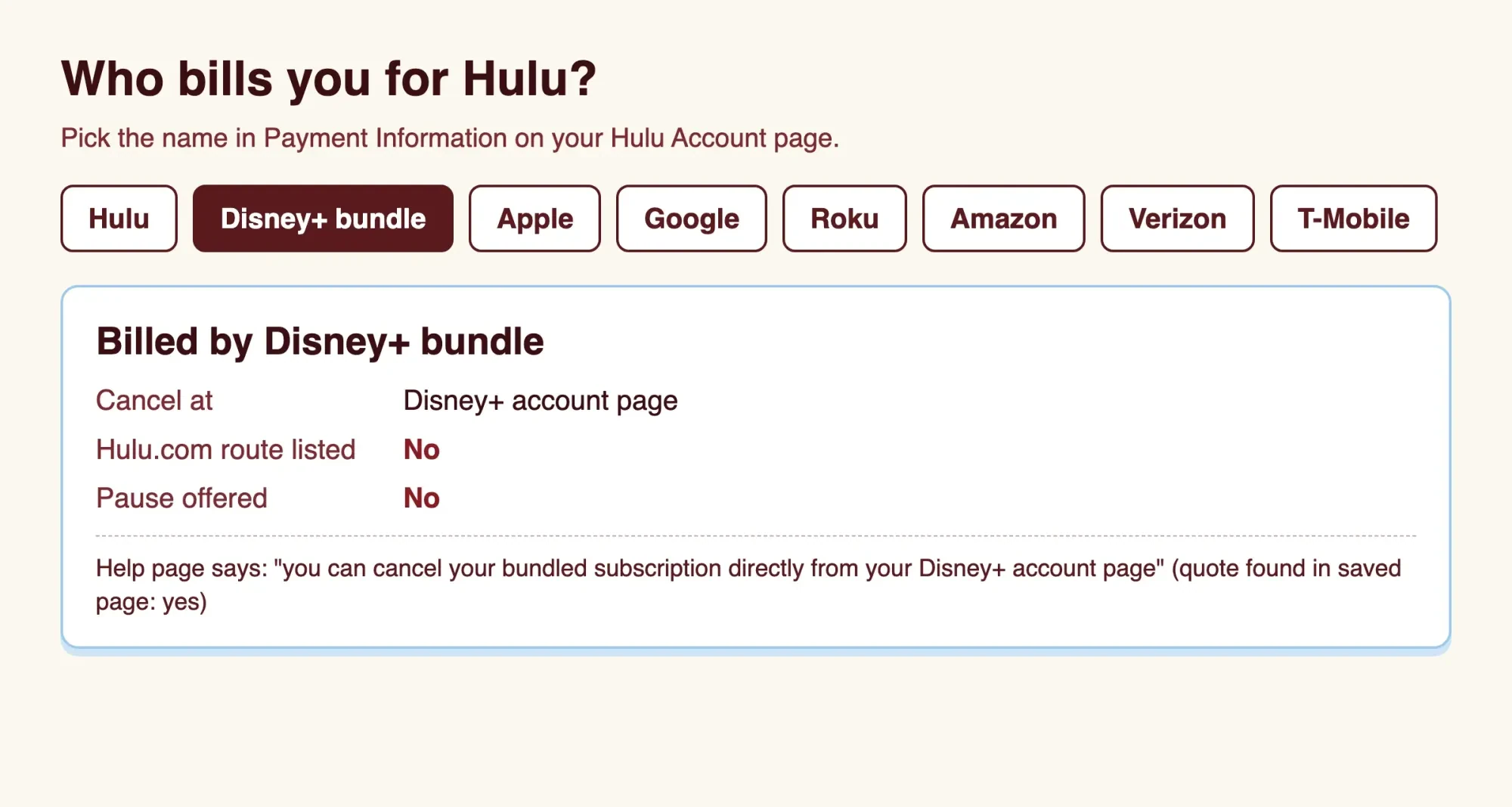 Screenshot: our test lookup page on 127.0.0.1, October 29, 2026. Not a Hulu screen.
Cancel a Hulu-billed plan on the Account page
Now for the simplest row: if Payment Information says Hulu, the cancel runs in a browser on a computer or phone. Hulu's cancel steps take four clicks:
- Open your Account page at Hulu.com.
- Select Cancel under Your Subscription.
- If Hulu offers a pause, select Continue to Cancel.
- Select Cancel Subscription.
Step 3 is Hulu's pause offer; select Continue to Cancel there unless a break of up to 12 weeks suits you better.
After the last click, Hulu says the Account page should then read "Your subscription will be canceled," and a confirmation email goes to the address on file. Keep that email. It's your proof if a charge shows up on a later statement.
Before you leave, it helps to know which plan you hold. Hulu's plans and prices page lists Hulu (With Ads), Hulu Premium with no ads, the Disney+, Hulu Bundle and a no-ads Bundle Premium. Hulu (With Ads) is the one plan there with an annual option, and annual plans can't be paused. Prices change often, so read that page for today's US figures rather than relying on a guide. Hulu also states it charges no cancelation fees, so leaving mid-cycle costs nothing extra.
If Hulu bills you for a bundle rather than a single plan, Hulu says the same Account page cancels that bundle.
Cancel the Disney+ bundle without leaving Hulu running
That Account page only handles bundles Hulu bills, and some bundles are billed by Disney instead. Hulu's Disney-billed account page says a Disney-billed bundle is canceled from your Disney+ account page. The name in Payment Information settles which one applies to you.
The bigger risk is a Hulu plan you already had before the bundle.
Hulu's cancel page says that when you cancel the bundle, your original plan "will continue at the then-current price and terms" unless you cancel it separately. The Disney-billed page says a Disney+ or ESPN plan you held before a Hulu-billed bundle keeps billing too. In both cases, one cancel leaves the other plan billing. Here's how that plays out in a plain example. Say you had Hulu (With Ads) on its own, then moved to the Disney+, Hulu Bundle. You cancel the bundle and stop there. The old plan keeps billing every month at Hulu's then-current price until you cancel it as well, and a year of missed statements adds up to twelve charges.
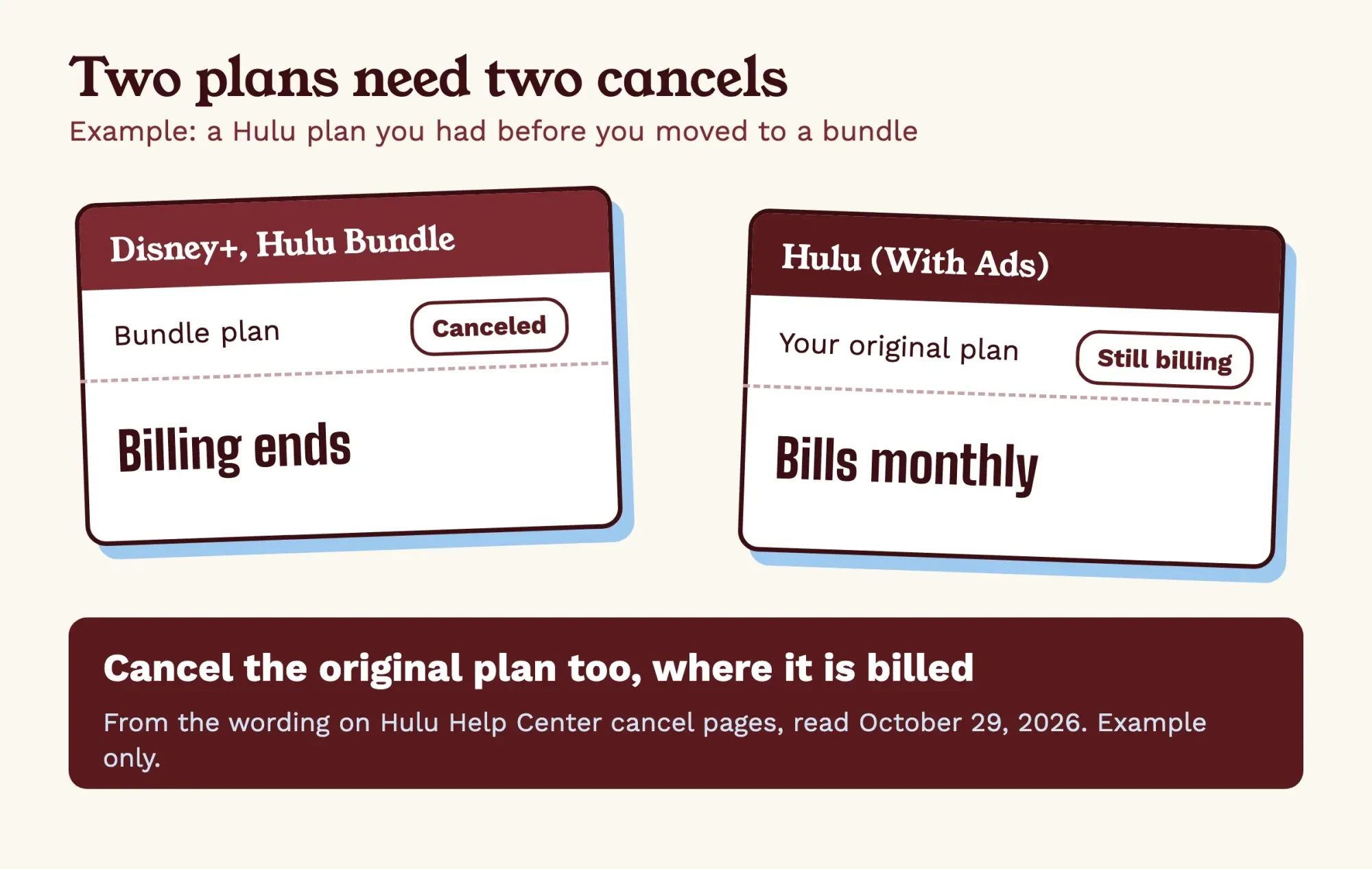 Drawn by us. Example only, from the wording on Hulu Help Center cancel pages, read October 29, 2026.
So after a bundle cancel, open both your Hulu and Disney+ account pages and look for a second active plan. If you're dropping Hulu to try another service, our troubleshooting guide for one rival streaming app covers what to do if that app won't play.
Apple, Google, Roku and Amazon billing
Beyond Disney, sign-ups through app stores and TV platforms split into two groups, depending on whether the store or Hulu holds the Cancel button. Apple and Google hold the subscription in their own settings, while Roku and Amazon let Hulu.com do the cancel. Hulu says new and returning subscribers can't sign up through Apple, Google or Amazon anymore, so these plans are older ones that bill until someone stops them.
For Apple billing, Hulu's Apple-billed page says to cancel through Apple. Apple's cancel a subscription guide gives the iPhone path: Settings, your name, Subscriptions, the subscription, then Cancel Subscription. On a Mac, the list sits under your name in the App Store. Apple adds that a subscription missing from that list may have been bought from another company, so your bank or card statement is the place to look next. Google billing follows the Play Store's own steps. Hulu's Google-billed page sends you to Google, and Google Play's subscription help says to open subscriptions in Google Play, select the plan and tap Cancel subscription.
Roku is the odd one, because both companies list a route. Hulu's Roku-billed page lets you cancel on Hulu.com. Roku's manage subscriptions page says to select Turn off auto-renew, either at my.roku.com or from the Star button on the remote. Both routes are official. If you set a Roku PIN for purchases, Roku asks for it before the change goes through. We'd use the route where you can see the status change afterward. If the difference between a Roku box and a TV's built-in apps is fuzzy, our OTT box vs smart TV explainer sorts it out.
Amazon billing has two doors too. Hulu's Amazon-billed page names Hulu.com or Amazon Pay, and it keeps the 12-week pause option for Amazon-billed subscribers.
Timing is the same for all four. Hulu's Apple, Google, Roku and Amazon pages each say you keep watching until your current billing cycle closes, and after that the store's account isn't charged for Hulu. Apple, Google and Amazon no longer take new or returning subscribers, so a later return means signing up again on Hulu.com. Hulu's cancel page adds that you can sign up again with the same login information.
Phone carrier plans: Verizon and T-Mobile
Then there's Hulu that arrives inside a phone bill, where the two carriers on Hulu's list point you in opposite directions for the same cancel. Hulu's Verizon-billed page says you cancel from Add-ons and Apps in My Verizon. Verizon support handles the details. Hulu's page describes that perk as a Disney+, Hulu, ESPN Select Bundle, so check with Verizon what a cancel ends. T-Mobile runs the other way. Hulu's T-Mobile billing page lists Hulu.com as the place to cancel, and says canceling Hulu won't touch your T-Mobile plan. Cancel the T-Mobile plan itself, though, and Hulu ends with it, although you keep watching until the close of that T-Mobile billing period.
Hulu's Verizon page also warns that a plan you paid for before the perk may need managing "to avoid multiple subscriptions and corresponding charges."
What you keep after canceling, and when to pause instead
Once the cancel goes through, nothing ends that day on most plans. Hulu's cancel page says you keep access until the end of your current billing cycle, with no charge after that. A free trial you cancel early also runs to its end date at no charge. Canceling deletes nothing, either: Hulu notes it won't remove your Hulu account or the Disney account you use elsewhere.
Live TV is the exception, because Hulu says a Hulu + Live TV free trial ends the moment you cancel it, so cancel it only once you're done watching.
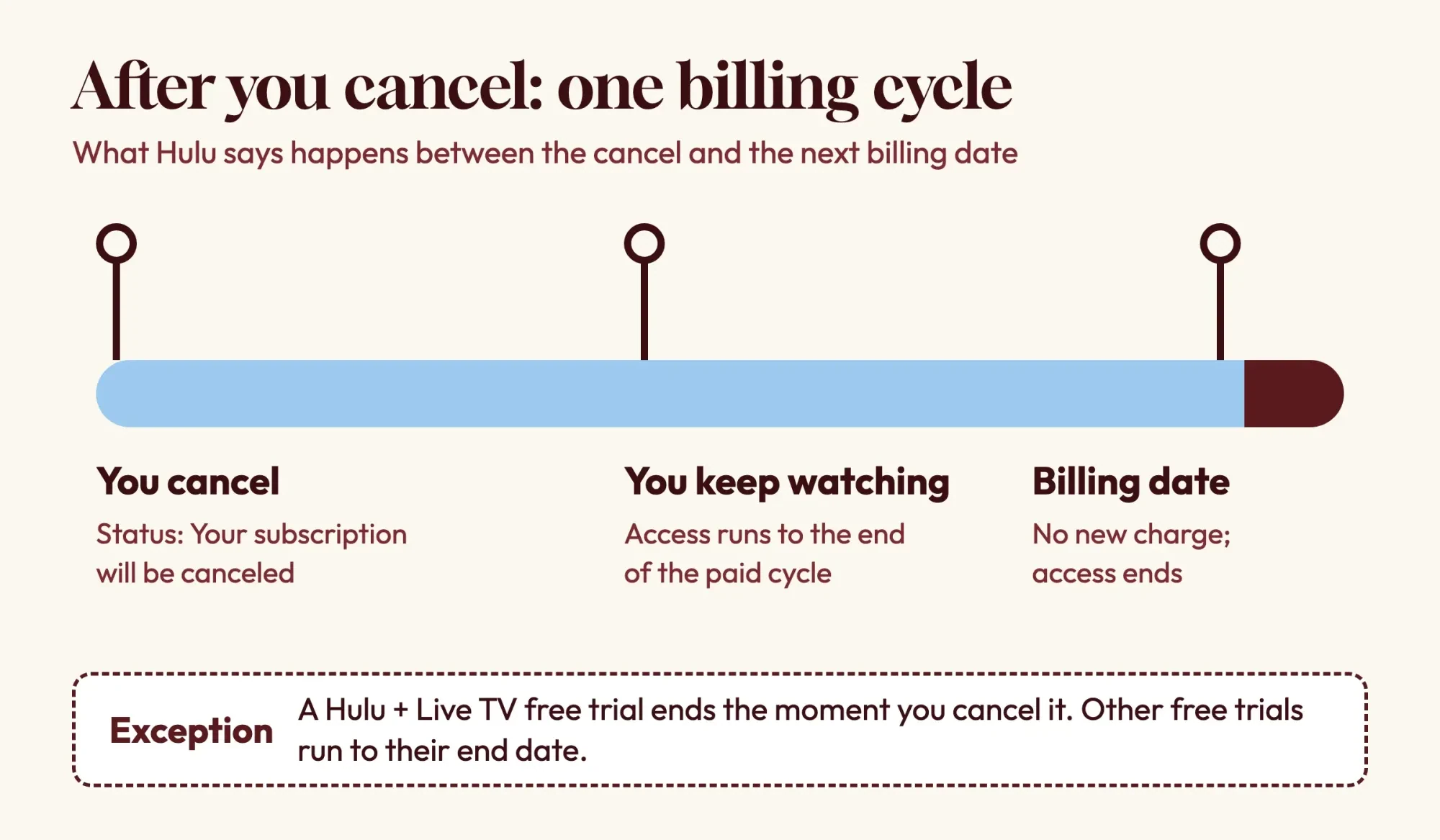 Drawn by us, from the wording on Hulu Help Center cancel pages, October 29, 2026.
A pause can beat a cancel if you're leaving for one season. Hulu's pause help page lets you set a pause of up to 12 weeks, and it starts on the first day of your next billing cycle. When the pause ends, Hulu restarts the plan and charges your card on file, so a forgotten pause turns back into a charge. Set a reminder for that date. Annual subscribers, gift card users, promotion users and most third-party billers can't pause. Amazon and Roku billing are the exceptions. And if you change your mind mid-pause, Hulu says canceling while paused means you won't be charged.
How do you confirm Hulu stopped charging you?
After the pause-or-cancel choice, check the result a day later in one place. Hulu's I thought I had canceled page says the Account page shows Your Next Charge while a plan is still active. A status line with the date your access ends means the cancel worked, and Renew your Hulu Subscription means it's fully over. A screenshot of that status makes handy proof.
Hulu says some details may be missing for third-party billers. So also check Apple or Google subscriptions, Roku or My Verizon, then watch your next card statement.
If a charge still posts, contact the company that billed you first, with your confirmation email ready. The FTC's guide to disputing credit card charges says your billing error letter must reach the card issuer within 60 days after the first bill with the error was sent. The clock starts with that first bill. When a company asks for a written notice, our gym cancellation letter guide has a format you can adapt.
Some state laws back online cancels. California's Business and Professions Code section 17602 covers businesses that take an automatic renewal online. They "shall allow a consumer to terminate the automatic renewal or continuous service exclusively online, at will." At the federal level, the FTC's negative option rule page lists a February 12, 2026 revision "To Conform These Rules to Federal Court Decisions." A consumer lawyer can tell you how your state's rules apply, since this guide isn't legal advice.
Our take: find the billing party first, cancel there, and keep the email. If YouTube on the TV is your next stop, our yt.be/activate guide covers the TV sign-in code, and our YouTube error 503 guide handles playback errors. If your business pays for software subscriptions too, our small business tech stack compares free and paid picks for 8 jobs.
Hulu cancellation questions
Frequently asked
Does deleting the Hulu app cancel my subscription?
Not on Android. Google Play's subscription help says that when you uninstall the app, your subscription won't cancel.
Can I get a refund for a partial month?
Not if Roku bills you. Roku's subscription page says no partial-term refunds are provided for subscriptions billed through Roku.
Can I sign up again through Apple after canceling?
No. Hulu's Apple-billed page says new and returning subscribers can no longer pay for Hulu through Apple, so you'd rejoin at Hulu.com.
Can a Disney-billed bundle add Hulu + Live TV?
No. Hulu's Disney-billed page says Disney-billed subscribers can't switch to Hulu + Live TV or add add-ons.
How we made this guide: No Hulu account was canceled for this guide. We read 14 help pages from Hulu, Apple, Google and Roku, plus three FTC and California pages, without signing in. Our script, test/check.py, then found all 8 cancel lines and 8 pause lines word for word in that saved text. Facts checked by the DigitalTreed team on October 29, 2026.
First published April 2025 as a general guide to canceling Hulu. Rewritten October 29, 2026: now organized by who bills you, with a checked table for eight billing parties, the bundle double-billing case and links to Hulu's current plan page.
Sources
- Hulu Help Center: How to cancel Hulu
- Hulu Help Center: Managing a Disney-billed account
- Hulu Help Center: Managing an Apple-billed Hulu account
- Hulu Help Center: Managing a Google-billed Hulu account
- Hulu Help Center: Managing a Roku-billed Hulu account
- Hulu Help Center: Managing an Amazon-billed account
- Hulu Help Center: Managing a Verizon-billed Hulu account
- Hulu Help Center: Managing a Hulu account billed through T-Mobile
- Hulu Help Center: Can I put my Hulu subscription on pause?
- Hulu Help Center: I thought I had canceled
- Hulu Help Center: Hulu plans and prices
- Apple Support: Cancel a subscription from Apple
- Google Play Help: Cancel, pause, or change a subscription on Google Play
- Roku Support: Manage or cancel subscriptions on Roku
- FTC: Using Credit Cards and Disputing Charges
- FTC: Negative Option Rule
- California Business and Professions Code section 17602


Comments
No comments yet. Start the conversation below.