

Quick answer
As of October 28, 2026, a small business tech stack covering 8 jobs can run on $0-a-month plans, though card payments still cost a fee on every sale. Paying for all 8 came to $221 a month for our made-up 3-person shop. Upgrading only the website and email cost $19, so start there.
You've opened the shop, or you're about to, and the software questions keep piling up. Which website builder, which inbox, which card reader, and does anyone need a CRM at three people? A small business tech stack is the set of software a business runs on, one tool for each job. Sign up for these tools one by one, and the real total only shows up on the card statement weeks later.
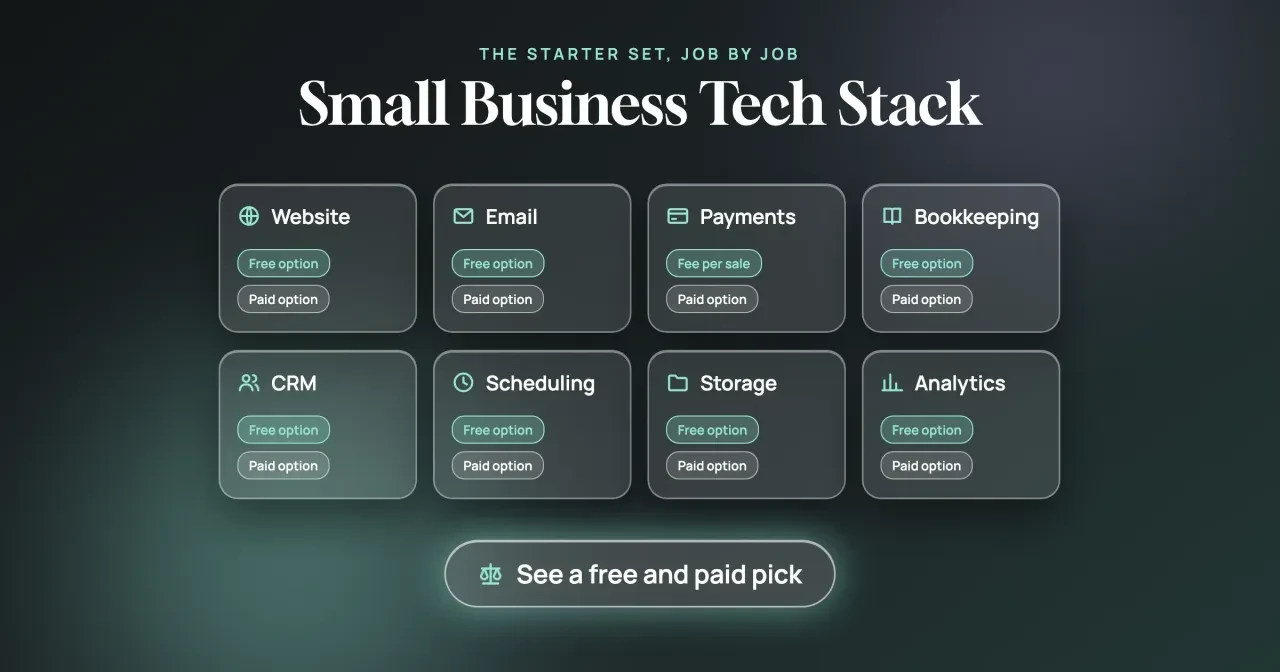
We'll start with what we tested and a glance table of all 8 jobs. Each job then gets a section with a free pick and a paid pick: website, email, payments, bookkeeping, CRM, scheduling, storage and analytics. Last, we'll add up what the whole stack costs a 3-person shop and say which job to pay for first.
Key takeaways
- Upgrading only the website and email cost our example shop $19 a month.
- Every payment option charges per sale, so no card processor here is free.
- Square Plus cost the example shop $35 more than Square Free.
- Calendly's free plan allows one event type and one calendar connection.
- A Google account's 15 GB is shared by Gmail, Drive and Photos.
What we tested
On October 28, 2026, we saved the pricing page behind every pick and ran our own local script over the text. It looks for 37 of the plan phrases we quote, word for word, and checks that WordPress.com's plans list is in US dollars; all 38 checks passed. A match shows the phrase is on the page, not which plan card holds it, so we checked placement by eye. The script then does the example math you'll see in the payments and cost sections.
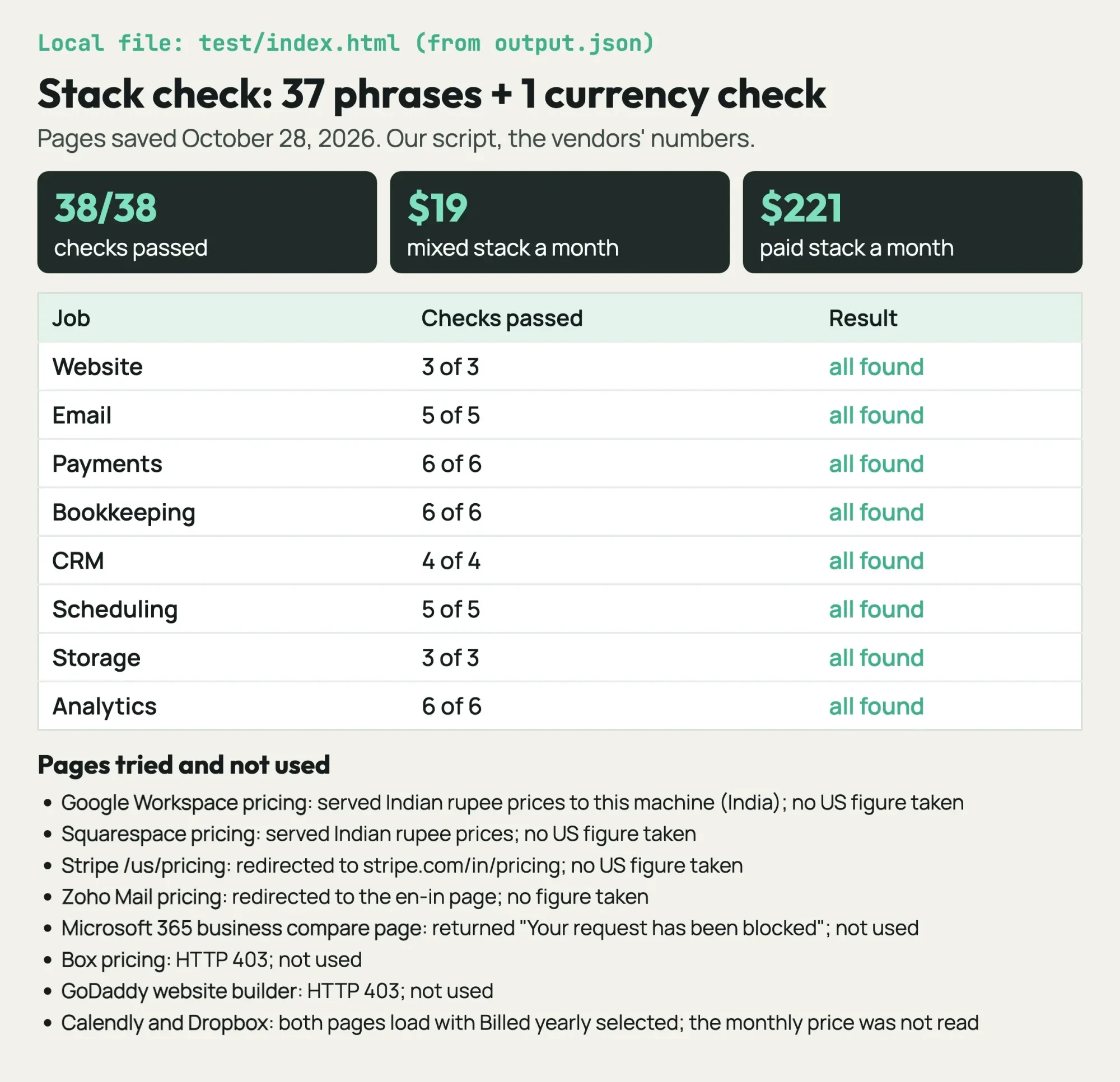 Screenshot: our local stack check page, built from test/output.txt on October 28, 2026.
All 8 jobs at a glance, free and paid
Prices are as of October 2026. "Free" means a $0-a-month plan, and per-user prices multiply with your team.
| Job | Free pick | Paid pick | Paid price | The free plan's catch |
|---|---|---|---|---|
| Website | WordPress.com Free | WordPress.com Personal | $48 a year | Ads shown to visitors |
| Cloudflare Email Routing | Fastmail Standard | $5 a user a month, yearly | Forwards mail; no inbox | |
| Payments | Square Free | Square Plus | $49 a month per location | Higher fee per sale |
| Bookkeeping | Wave Starter | QuickBooks Simple Start | $38 a month list | 2.9% + $0.60 per card payment |
| CRM | HubSpot Free | HubSpot Starter | From $15 a seat a month | HubSpot branding stays |
| Scheduling | Calendly Free | Calendly Standard | $10 a seat a month | One event type |
| Storage | Google account | Dropbox Standard | $15 a user a month | 15 GB shared with Gmail |
| Analytics | Google Analytics | Fathom | $15 a month | Two tools to set up |
Read the catch column before the price column, because a free plan that forwards mail to your personal Gmail isn't the same product as a real inbox. The sections below say where that kind of gap starts to cost you. Some vendors are missing on purpose. Google Workspace, Squarespace, Stripe, Zoho Mail and Fastmail's default page all served India prices to our machine, so we didn't use those figures. Microsoft's business page blocked our request, and Box and GoDaddy returned 403 errors, so none of the three made the table. Every figure we did use came from a page showing US dollars.
Website: WordPress.com free, or Personal at $4 a month
The website is the job customers see before they call. WordPress.com's free plan puts a site online for $0, and its pricing page is plain about the trade: "Free sites display WordPress.com ads to visitors." Customers comparing two frame shops will notice those ads. The Personal plan removes them. WordPress.com's public plans list in US dollars puts Personal at $48 a year as of October 2026. That works out to $4 a month. Paying month to month costs $9. Every paid plan also includes "a free domain for the first year," so the renewal is the cost you'll meet in year two.
If you'd rather own the whole setup, our guide to making a WordPress website walks through the self-hosted route, where you pay a host instead of WordPress.com. Either way, check the finished site with our website audit tool, which costs nothing, before you share the link. It flags problems such as a missing page title or a broken link, which are easier to fix before customers find them.
Email: forward for free, or pay $5 a user for a real inbox
Email is where the free option changes shape the most. Cloudflare's Email Routing documentation says the service "forwards them to destination addresses" and is "Available on Free and Paid plans." So [email protected] can land in the Gmail inbox you already check, at no monthly cost. The catch is that forwarding isn't a mailbox: replies leave from your personal address unless you add a sending service. You'll also need a domain registered somewhere before any of this works. Cloudflare's registrar page says it "does not mark up domain prices at all," but it doesn't print a dollar figure for any domain.
For a real inbox, Fastmail's US business pricing lists Standard at $6 a user a month as of October 2026. Each user gets 60 GB, and the plan card says "Make custom business addresses with a domain." Google Workspace and Microsoft 365 are the bigger names. Our business email set-up guide covers both.
Paid yearly, Standard is $60 a user for 12 months, so $5 a month. That saves $12 a user against monthly billing ($6 x 12 = $72).
Payments: no free option, only a $0 plan
Once customers can reach you, they'll want to pay, and here the free-versus-paid pattern breaks. Square's fee page says "With Square Free, there are no monthly subscription costs," and you "only pay processing fees when you take a payment." As of October 2026, a Square Free tap, dip or swipe costs 2.6% + 15¢. An online card payment costs 3.3% + 30¢. Square Plus lowers the in-person rate to 2.5% + 15¢ and the online rate to 2.9% + 30¢. Square's plans page charges "$49/mo. per location." Whether that pays off depends mostly on your online sales, because the online rate drops by 0.4 points while the in-person rate drops by only 0.1.
Take the made-up Quillback Frame Shop in Sedalia, Missouri, which in our example takes $6,000 a month across 200 in-person card payments and $2,000 across 40 online orders. On Square Free, the in-person side costs $6,000 x 2.6% = $156 plus 200 x 15¢ = $30. The online side costs $2,000 x 3.3% = $66 plus 40 x 30¢ = $12. That's $264.00 a month. On Plus, the same sales cost $150 + $30 + $58 + $12 = $250.00. The $49 plan then lifts the bill to $299.00, so the upgrade costs this shop $35 a month more ($299.00 - $264.00). Plus didn't pay off here.
Plus breaks even when 0.1% of in-person sales plus 0.4% of online sales reaches $49. For this shop, that's $6 + $8 = $14.
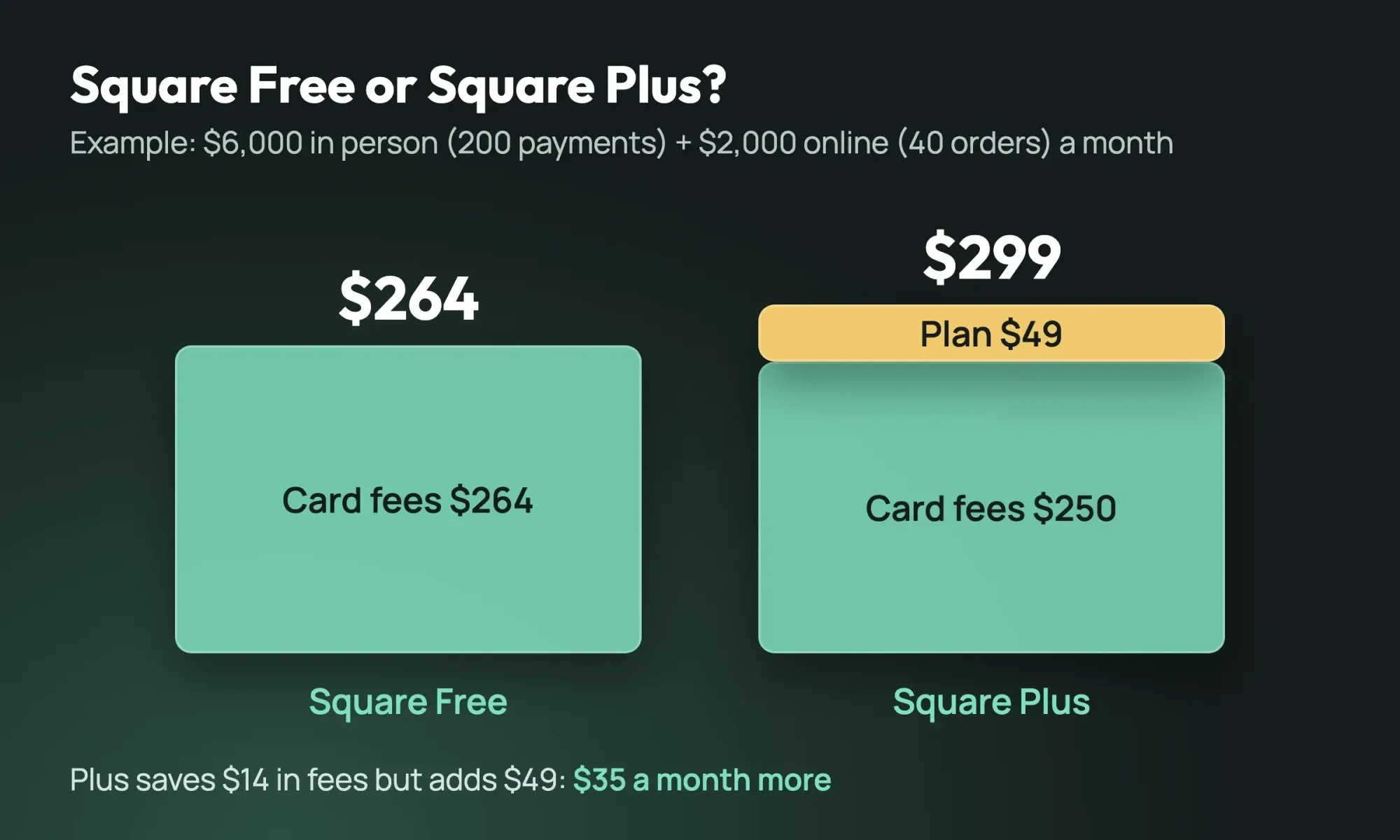 Diagram by DigitalTreed: example Square costs for a made-up shop, using Square US rates read October 28, 2026.
Swap in your own sales and payment counts, and our payment gateway cost breakdown shows the online sales level where Square Plus starts to pay for itself.
Bookkeeping: Wave Starter, or QuickBooks Simple Start at $38
Wave's pricing page lists Starter at $0 as of October 2026 and says you can "Create unlimited estimates, invoices, bills, and bookkeeping records." For a frame shop like our example, the first-year work is invoices, receipts and checking whether last month made money. Starter doesn't cap any of it.
QuickBooks is the paid pick because Simple Start lets your accountant log in. Its US pricing page now has a $0 Free plan too, but it's tight: 1 user, 1 connected bank and "Send 2 invoices per month." Simple Start lists at $38 a month as of October 2026, with 50% off for the first 3 months. It adds "access for 2 accountants," and that's what matters once someone else keeps your books. So start on Wave Starter, and move to QuickBooks Simple Start when an accountant starts doing your books. Switching later means moving a year of records, so ask that accountant which one they work in before you sign up for either.
CRM: HubSpot Free, then Starter from $15 a seat
Next come the customers behind those invoices. A CRM keeps every customer, quote and follow-up in one list, instead of spread across three people's inboxes, a notebook by the register and somebody's memory of who called when. HubSpot's CRM page offers a free tier you can open with "No credit card required," including contact management and deal pipelines. Starter's feature list adds "No HubSpot branding," so the free tier keeps it.
Starter "Starts at $15/month per seat" as of October 2026, and the asterisk matters. HubSpot's footnote says the "Discount available for new customers only" has "no set end date." Three seats come to $45. Budget at least that each month. That's already more than the $38 QuickBooks list price. Our CRM set-up guide for the first 30 days covers getting the team to use it. Wiring it to your forms and invoices is in our explainer on third-party integrations and their costs.
Scheduling: Calendly Free handles one kind of booking
In our example, booking needs only one paid seat. Calendly's pricing page labels its free plan "Always free" and lists "One event type" and "One calendar connection." A frame shop that only books design consultations fits inside that. The limit bites the day you add a second kind of appointment, such as a pickup slot. As of October 2026, Calendly lists Standard at $10 a seat a month. The page loads with "Billed yearly" selected, so check the monthly price before you pay month to month.
Only the people who host bookings need a seat. In our example, one person takes consultations, so the shop pays for 1 seat rather than 3. That's a $20 difference every month ($10 x 3 seats minus $10 x 1 seat), and all it takes is counting who actually hosts the meetings in your shop.
Storage: 15 GB with every Google account, 3 TB on Dropbox Standard
Those booked jobs produce files, from signed quotes to photos of finished frames. Google's storage help page says "Each Google Account includes up to 15 GB of storage, which is shared across Gmail, Google Drive, and Google Photos." A busy inbox shrinks the room left for files, so if your Gmail is already close to 15 GB, budget for storage now. Dropbox's plans page lists Standard at $15 a user a month as of October 2026, starting at 3 TB for the team. Like Calendly, the page loads with "Billed yearly" selected. We've kept storage to one pick each, since our cloud storage comparison for small teams covers Google Drive, OneDrive, Dropbox and Box side by side.
Analytics: Google's two free tools, or Fathom from $15
Analytics tells you whether the website is earning its keep. Google's Analytics page says it gives you the tools "free of charge." Google's Search Console help calls that product "a free service offered by Google." Analytics shows what visitors do once they land on your site, and Search Console shows which Google searches found you in the first place and how often your pages appeared.
Fathom's the paid pick at $15 a month for up to 100,000 monthly pageviews, as of October 2026. Its pricing page says prices are in USD and sells the product as cookieless: "No cookies, so no consent banner for analytics." Skipping a cookie banner for analytics is what the $15 buys. Our website analytics tools guide goes deeper on which tool answers which question. Whichever you pick, tag the links in your emails and posts with the UTM builder we host, which costs nothing, so the report names the campaign behind each visit.
What the whole stack costs a 3-person shop
The table below totals the subscriptions for the made-up Quillback Frame Shop, with the paid pick for every job. It's an example, not a quote. Card fees are left out, because the payments section prices them separately.
| Paid pick | How we counted it | Per month |
|---|---|---|
| WordPress.com Personal | $48 a year / 12 | $4.00 |
| Fastmail Standard | $5 x 3 users, paid yearly | $15.00 |
| Square Plus | 1 location | $49.00 |
| QuickBooks Simple Start | List price | $38.00 |
| HubSpot Starter | $15 x 3 seats, "starts at" | $45.00 |
| Calendly Standard | $10 x 1 seat | $10.00 |
| Dropbox Standard | $15 x 3 users | $45.00 |
| Fathom | Up to 100,000 pageviews | $15.00 |
| Total | Sum of the rows above | $221.00 |
That's $221 a month, or $2,652 a year ($221 x 12).
HubSpot and Dropbox make up $90 of it, about 41%, because both charge for all 3 people.
The all-free stack costs $0 in subscriptions plus a domain. The mixed stack we'd pick pays only for the website and email: $4 + $15 = $19 a month. The $202 gap between the mixed and the fully paid stack buys features a 3-person shop may never open, such as Dropbox team folders and more Calendly event types. Two caveats apply. HubSpot's $15 is a "starts at" price, and the Calendly and Dropbox figures are shown with yearly billing selected. When the shop outgrows this set, our guide to cloud ERP for small business covers the next step. The AI automation workflows post shows how to connect these tools.
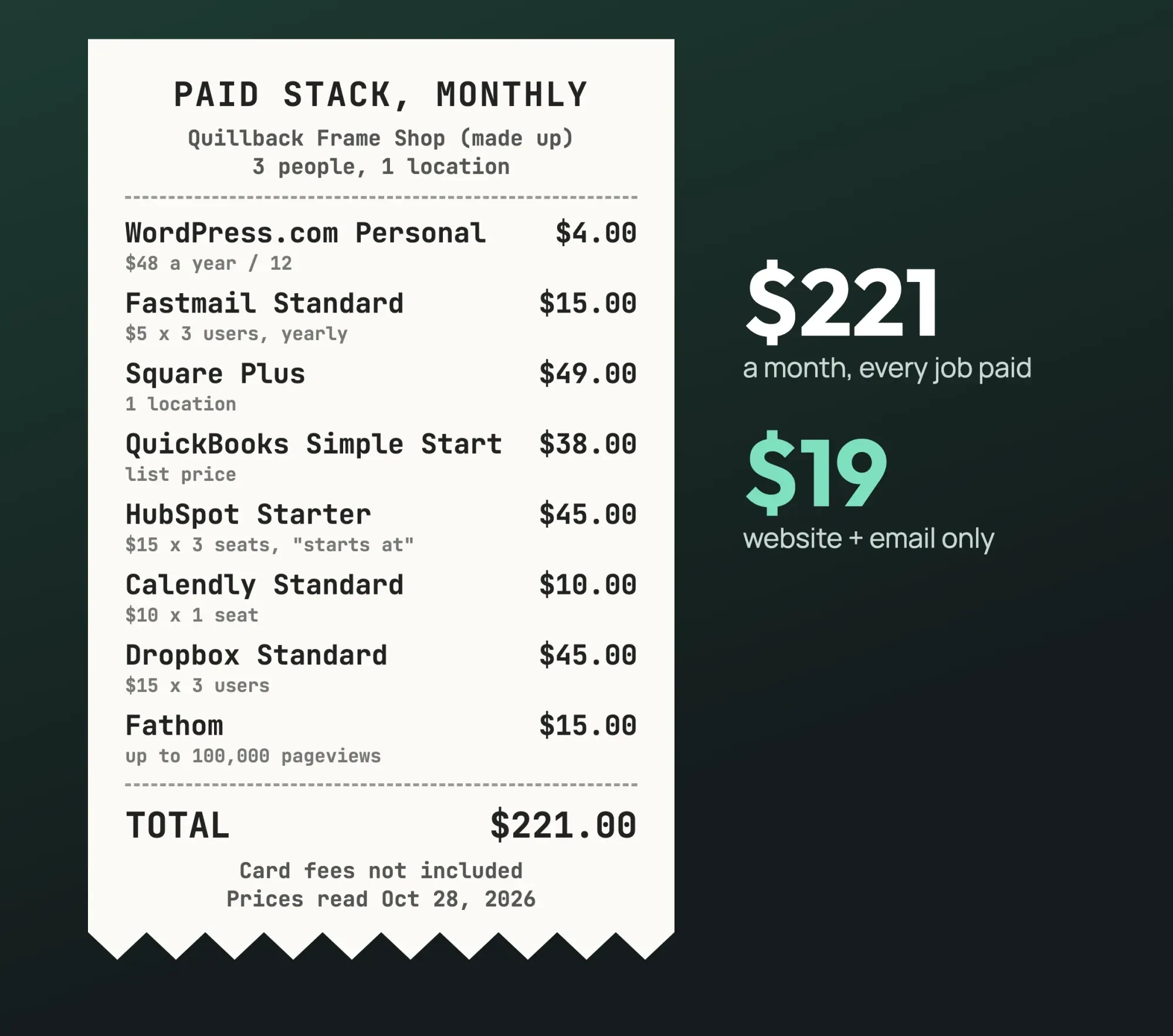 Diagram by DigitalTreed: the paid-stack bill for a made-up 3-person shop, from prices read October 28, 2026.
Which job should you pay for first?
Our take: pay for email first. Every reply shows your address. A reply from [email protected] reads as a side project, while a Fastmail inbox on your domain costs $15 a month for three people. The website's ad removal comes second at $4. Cloudflare forwarding can bridge the gap while you decide, but replies still go out from the Gmail address, so it doesn't fix the problem. After those two, upgrade a job only when its free plan's catch actually blocks you. That might be a second event type in Calendly, an accountant who needs QuickBooks access, or a Google account that's used up its 15 GB of shared space.
Card processing is the exception, so stay on Square Free until your own numbers, run through the formula above, say Plus is cheaper.
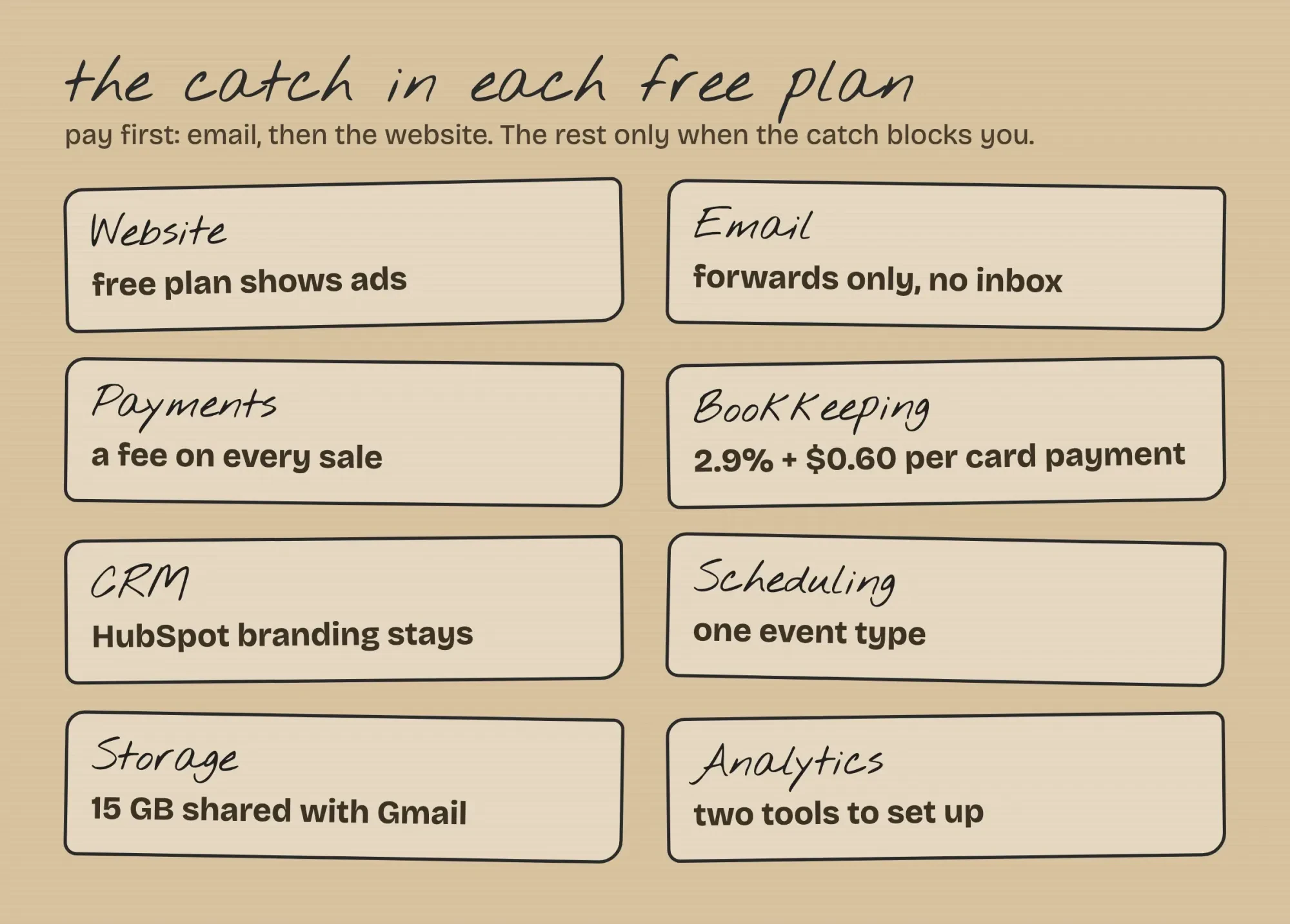 Drawn by us: the catch in each free plan, from the vendor pages read October 28, 2026.
If you'd like the website and its set-up handled for you, we handle it through DigitalTreed web development. DigitalTreed earns money when owners hire us for that, and that's a fair reason to check our advice against the vendor pages linked here.
Frequently asked
Can I try the paid tools before paying?
Several offer trials. Square's fee page says Plus and Premium "each offer a free 30-day trial," and Fathom's pricing page lists a 7-day trial with a card required.
How long should I keep my bookkeeping records?
For most returns, the IRS says to "Keep records for 3 years" unless a listed exception applies, per its record-keeping page. Ask your tax preparer about yours.
Does Wave charge to take card payments on invoices?
Yes. On Starter, Wave's pricing page lists 2.9% + $0.60 per credit card transaction.
What changes if I run more than one location?
Square's plans page says the Plus and Premium fee "applies to each location you run," so two shops on Plus pay $98 a month.
How we made this guide: We read each pick's plan on October 28, 2026, on a vendor page that showed US dollars, and saved the text. A local script found 37 quoted phrases in those pages, confirmed the WordPress.com prices were in USD and did the example math. Facts checked by the DigitalTreed team on October 28, 2026.
First published March 2023. Rewritten October 28, 2026: a new roundup of free and paid tools for 8 business jobs, with US prices, an example monthly total and an upgrade order.
Sources
- WordPress.com: Pricing
- WordPress.com: Public plans API (USD)
- Cloudflare Docs: Email Service (Email Routing)
- Cloudflare: Registrar
- Fastmail: Pricing (US)
- Square: Our fees (US)
- Square: Online store plans (US)
- Wave: Pricing
- QuickBooks: Pricing (US)
- IRS: How long should I keep records?
- HubSpot: CRM
- Calendly: Pricing
- Google One Help: How your storage works
- Dropbox: Plans
- Google Marketing Platform: Analytics
- Search Console Help: About Search Console
- Fathom Analytics: Pricing


Comments
No comments yet. Start the conversation below.