

Quick answer
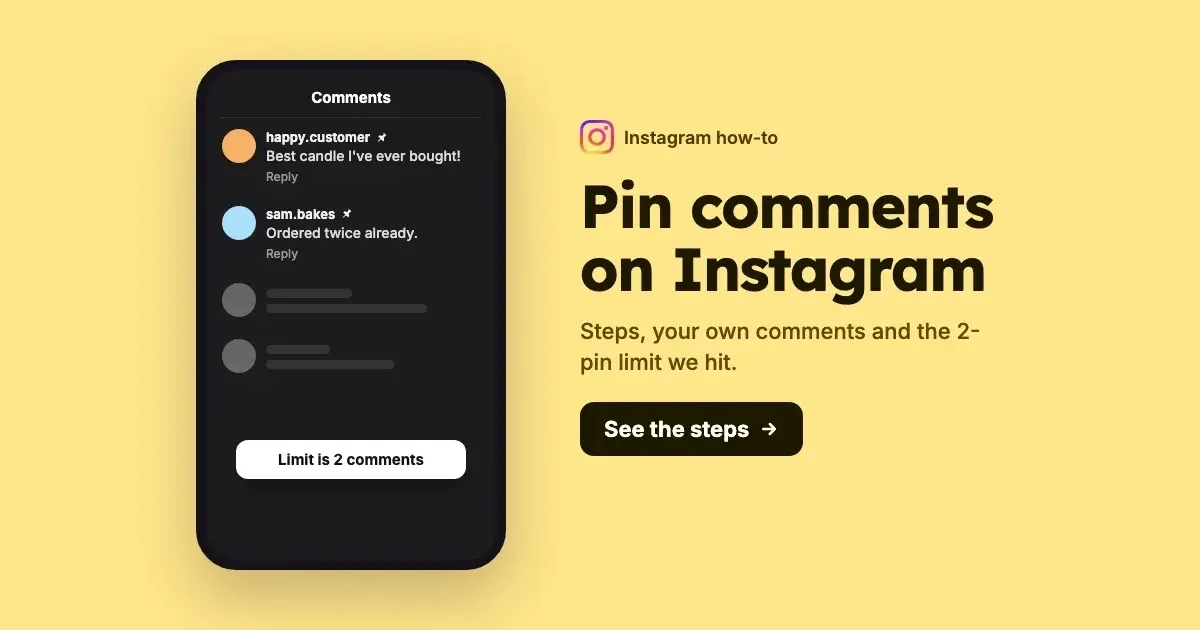
To pin a comment on Instagram, open your post or reel and tap the comment icon. Swipe left on the comment (iPhone) or press and hold it (Android), then tap Pin. It only works on your own posts. In our Android test in November 2026, Instagram stopped us at two pins with "Limit is 2 comments."
Someone left the perfect comment under your reel, a happy customer or a sharp question, and now it's buried under emojis. A pinned comment is a comment the post's owner fixes to the top of the comment list, so every new viewer reads it first.
Below is how to pin a comment on Instagram on iPhone and Android, and how to unpin it. Then come your own comments, the real limit we hit, reels, and why the Pin option sometimes doesn't show. It ends with which comment a business should pin.
Key takeaways
- Swipe left on iPhone or press and hold on Android, then tap Pin.
- You can only pin comments on posts you own.
- Our test stopped at two pins per reel.
- The commenter gets a notification when you pin.
- An invited collab partner sees no Pin option.
Pin a comment in 3 taps, then unpin it
Instagram doesn't have a help page just for this, but its guide to protecting your business gives the steps in one line. You pin a comment "by swiping left on the comment and tapping the pin icon." That's the iPhone way, while on Android, the phone we used for every test in this guide, you press and hold the comment for about a second instead.
- Open your post or reel and tap the comment bubble.
- On iPhone, swipe left on the comment. On Android, press and hold it.
- Tap Pin. The comment moves to the top of the list.
On our Android phone, holding a comment opened a short menu: Pin, Reply with a reel, Share, Restrict, Report, Block and Delete. Pin was the first item. Once pinned, the comment jumped to the top of the list and showed a small pin icon next to its age, so every viewer can tell it was chosen. That's all it takes.
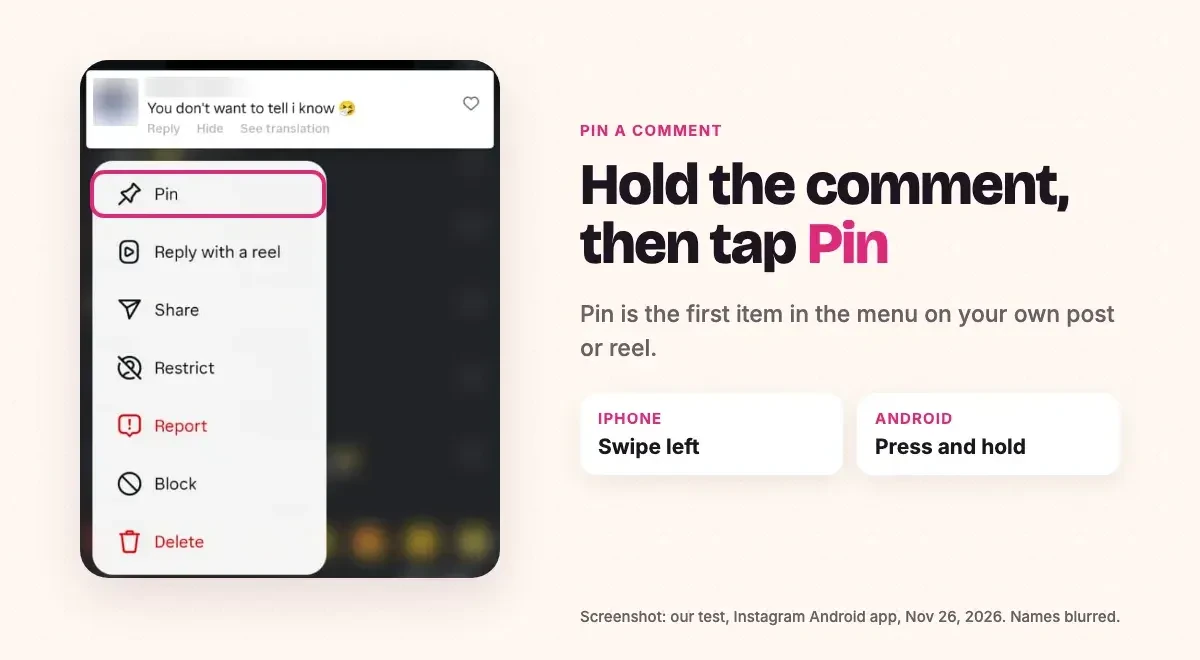 Screenshot from our test account, Instagram Android app, November 26, 2026. Names and photos blurred.
Note
Instagram moves these options around and renames them often. We checked them on November 26, 2026. If Pin isn't where we show it, hold or swipe the comment and look for the pin icon.
To unpin, do the same thing again. Swipe or hold the pinned comment and tap Unpin. The comment drops back to its normal place in the list, and nothing else about it changes, so its likes and replies stay with it.
Can you pin your own comment on Instagram?
Yes, and that's newer than most guides. When pinned comments arrived in 2020, How-To Geek wrote that you could pin other people's comments only. That changed in September 2025. The Verge reported on September 5, 2025 that you can now pin your own comments. Social Media Today quoted Adam Mosseri, the head of Instagram: "So we've fixed it and now you can pin your own comments."
The steps are the same: write your comment, then swipe or hold it and tap Pin. We'd use it for three things. Add a correction after you post, because captions on reels can't always be fixed without losing the moment. Answer the question everyone asks, so you don't reply to the same thing forty times. Or point people to your link, product or next video, since a caption gets cut off after a couple of lines while a pinned comment sits in plain view.
Example: a candle shop posts a reel of a new scent. The comments fill with "price?" and "do you ship to Texas?" So the owner writes one comment with the price, shipping area and where to order, then pins it. New viewers get the answer without asking.
You can pin 2 comments, at least in our test
That brings up the limit, and the answer depends on who you ask. Instagram's own announcement from May 12, 2020 only promised a way to pin "a select number of comments." When the feature reached everyone that July, Social Media Today and Tubefilter both reported three per post. Most guides still repeat three.
Our test didn't match. On November 26, 2026 we pinned two comments on one of our reels, then tried a third. Instagram showed a short message: "Limit is 2 comments." The third comment stayed where it was. Two pins, then a wall.
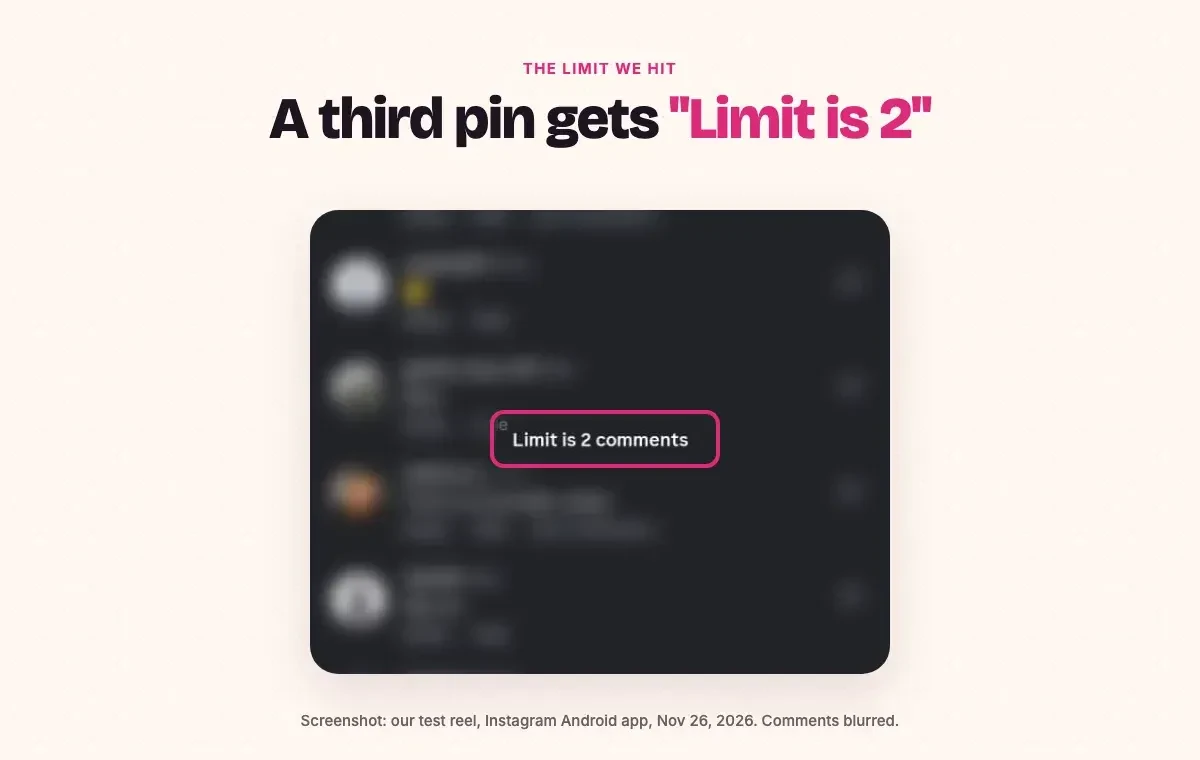 Screenshot from our test, Instagram Android app, November 26, 2026. Names and photos blurred.
So plan for two. To swap one out, unpin the comment you're done with first, then pin the new one. We can't say whether the limit is the same for every account or country, since we tested one Android phone in India. Instagram has never put a number on a help page. Older posts that promise three may have been right in 2020 and wrong today. We'd trust what your own app tells you over any guide, including this one. If your app lets you pin a third, great; you'll see the message the moment you hit the cap.
Pinning comments on reels and posts
Those two pins work the same on reels. Our whole test ran on a reel, and Instagram's help line describes the same swipe for comments on any of your posts, photos included. You pin from the comment list, not from the reel's menu. That's different from pinning a whole post, which lives in the post menu and puts the post itself first on your profile grid. Want both? Pin the reel to your grid from its menu, then pin your best comment from the comment list. The two pins are separate, so one won't undo the other. Our test reel was well over a year old, and its comments pinned just fine.
The pinned comment stays first in the comment sheet for everyone who opens it. It doesn't float over the video, and it doesn't change what shows in your grid.
Pinned comments also play a part in keeping threads friendly. Instagram first pitched them in its anti-bullying update to help people "set the tone" for their account. Pair a kind pinned comment with Instagram's tools to hide comments you don't want to see.
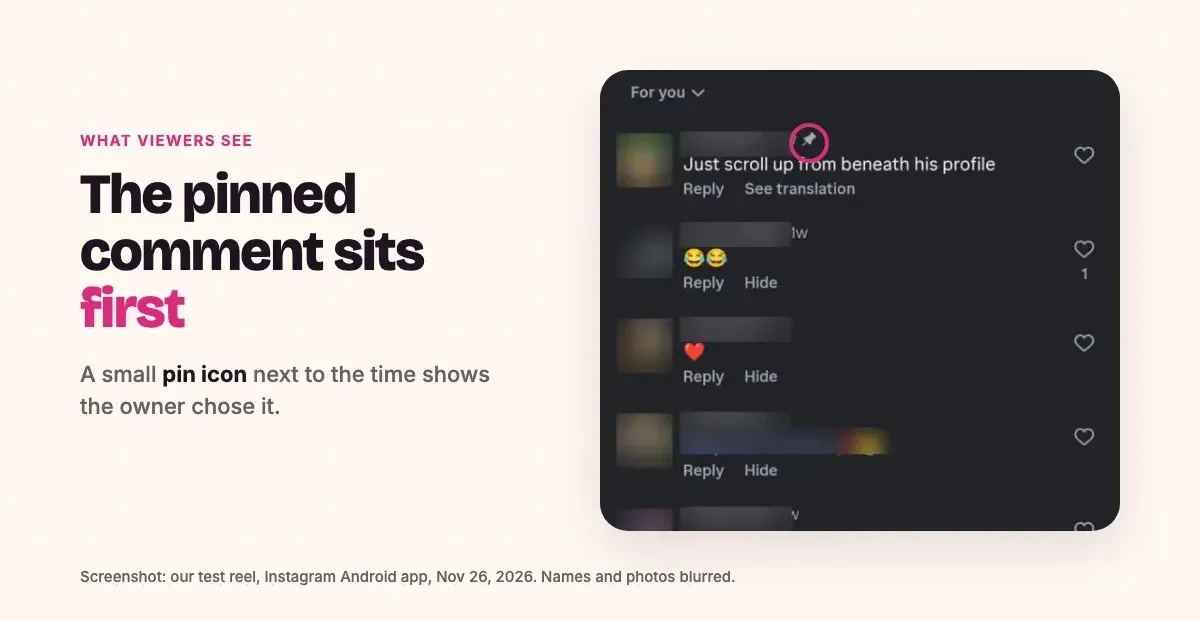 Screenshot from our test, Instagram Android app, November 26, 2026. Names and photos blurred.
Why can't I pin a comment on Instagram?
Now that you know where Pin lives, here's what to check when it's missing. If you hold or swipe a comment and Pin isn't there, it's usually one of these, from most to least likely.
Not your post: only the account that owns the post can pin. Collab posts catch people out, because the post shows on both profiles and it's easy to assume both accounts get the same controls over its comments. On a collab reel started by another account, our invited account's menu had Reply with a reel, Share, Report and Block, but no Pin. Instagram explains how shared posts work in its page about collab posts.
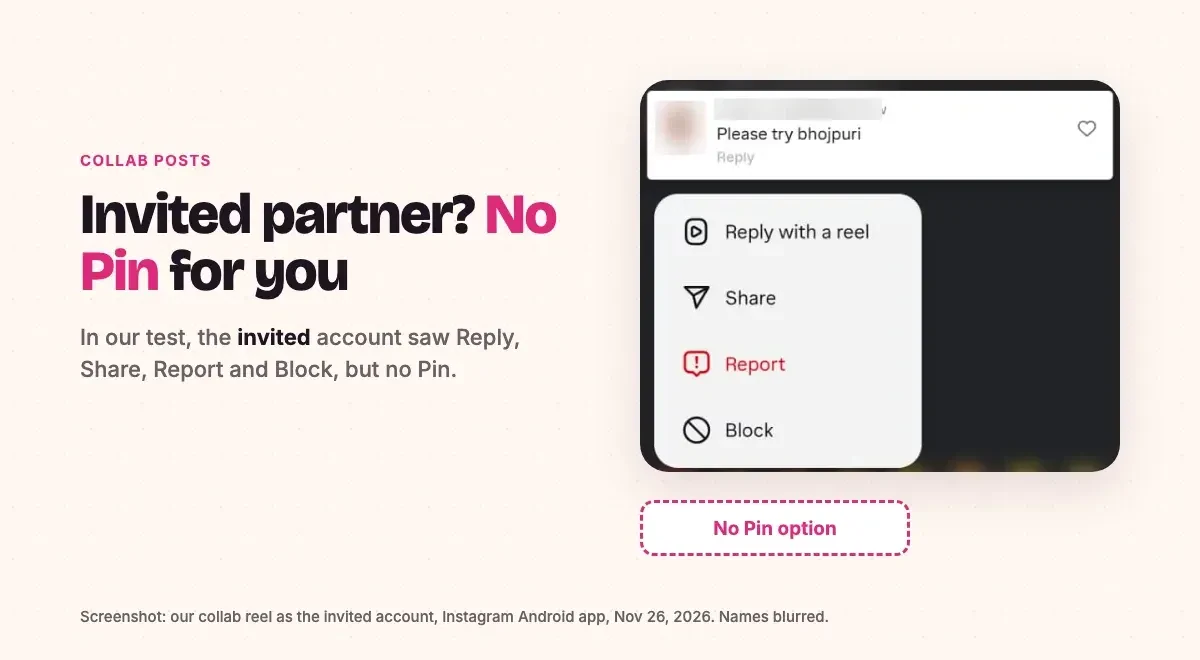 Screenshot from our test on a collab reel, Instagram Android app, November 26, 2026. Names and photos blurred.
You hit the limit: in our test Instagram allowed two pins on a reel, so unpin the one you need least and then try the new comment again.
Comments are off or hidden: Instagram says that when you turn off commenting, any comments on the post "will be hidden." There's nothing to pin until you turn them back on.
Old app: pinning your own comment only arrived in 2025. If your phone hasn't updated Instagram since before September 2025, that option may simply be missing even though everything else looks normal. Update Instagram from the App Store or Google Play.
A glitch: close the app and open it again. If it keeps crashing, our guide to fixing Instagram when it keeps stopping has the reset steps, and you can report a technical problem to Instagram.
What we tested
On November 26, 2026 we used two of our own accounts on Android. One commented, the other pinned, and we checked the alert, the limit and a collab reel.
Which comment a business should pin
So with the fixes out of the way, here's the fun part. People do read your comments. Half of US adults say they use Instagram, according to a Pew Research Center survey from 2025, and the comment sheet is where buyers ask their questions in public. With only two slots in our test, pick on purpose.
Two slots. Two jobs.
We'd pin one piece of proof and one answer. Proof is a happy customer's comment in their own words, ideally one that names what they bought and why it worked. A specific comment persuades more than a row of hearts. The answer is your own comment with the price, the link or the detail people keep asking for. Swap the answer when the offer changes, and keep the proof as long as it's true.
Check your pins once a week while a post is still getting views. A reel can pick up new viewers for weeks, and an answer pinned on day one goes stale the moment your price, stock or shipping area changes. When you swap, unpin the old comment rather than deleting it, so the person who wrote it keeps their comment and their likes. If a pinned comment starts drawing arguments in its replies, unpin it; a pin is meant to calm the thread, not feed it.
Small habit, big difference.
A calm reply to a complaint can earn a pin too, if it shows how you fix problems. Our tips on responding to negative comments cover the wording. For the bigger picture, our four-week Instagram marketing plan shows where comments fit in a posting week.
Pins work best on a profile that already looks sorted. Our guide to social media optimization covers bios and links, and our post on hiding stories from unwanted viewers covers privacy. For a done-for-you setup, our social media services include comment care.
Frequently asked
Does someone know when you pin their comment?
Yes, in our test. The commenter got a "pinned your comment on their post" notification.
Can you pin a comment on Instagram from a computer?
Instagram's help page only describes the swipe in the app. Use the phone app to be safe.
What does a pin icon on a comment mean?
The post's owner chose it. Instagram didn't promote it.
Can you pin a comment on someone else's post?
No. Only the post's owner can pin.
How we made this guide: We read Instagram's pages, then tested two of our accounts. Facts checked by the DigitalTreed team on November 26, 2026.
Sources
- Instagram Help: About protecting your business on Instagram
- Instagram Help: About collab posts
- Instagram Help: Turn comments on or off for posts
- Instagram Help: Hide comments you don't want to see
- Instagram Help: Report a technical problem
- Instagram: Continuing our work to fight online bullying (May 12, 2020)
- Social Media Today: Instagram gives all users pinned comments (July 7, 2020)
- Tubefilter: Instagram rolls out pinned comments (July 8, 2020)
- How-To Geek: How to pin comments in Instagram (July 28, 2020)
- The Verge: You can now pin your own Instagram comments (September 5, 2025)
- Social Media Today: Instagram adds option to pin your own comments (September 2025)
- Pew Research Center: Americans' social media use 2025


Comments
No comments yet. Start the conversation below.