
Quick answer
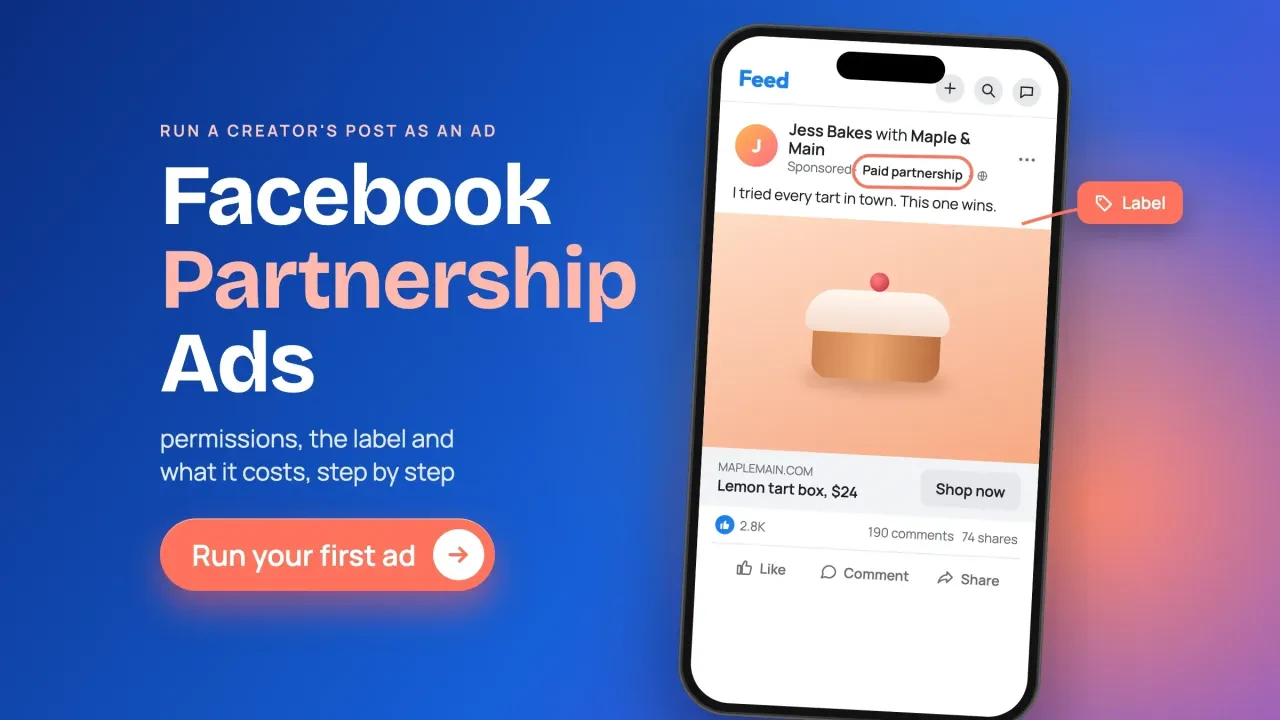
Facebook partnership ads run a creator's post as a paid ad, with your name and theirs in the header. As of October 2026, you need the creator's permission first, through a partnership ad code or account-level access, then you switch on the partnership ad toggle in Ads Manager. The label Meta adds doesn't replace the creator's own disclosure.
We read 18 of Meta's help and Ads Guide pages on this on October 26, 2026, signed out, start to finish.
Most guides you'll find are written for Instagram.
Facebook has a few rules of its own, and one can sink a campaign before it starts if the creator posts in the wrong order. Here's the whole job from both sides, plus where it fits in a wider social media plan.
Key takeaways
- A partnership ad runs a creator's post as your ad, with both names shown.
- The creator grants permission through an ad code or account-level access.
- On Facebook, the paid partnership label must go on while the creator posts.
- Archived Facebook content cannot be boosted to a partnership ad.
- Meta's label does not replace the creator's own spoken and on-screen disclosure.
A partnership ad puts the creator's name on your ad
A partnership ad is a Facebook or Instagram ad that runs with a partner, usually a creator, and shows both accounts in the ad's header. Meta's partnership ads overview says the ads use "signals from both accounts for improved ranking and incremental performance."
You may know the older name.
Meta's partnership ad help pages open with the same line: "Branded content ads are now called partnership ads." The organic version, where a creator posts about a brand that paid them, is still called branded content. Meta's help page on how those posts look says they carry "a Paid partnership label" in gray.
So a partnership ad is that paid-partnership post with your ad budget behind it. It reaches people who don't follow either of you.
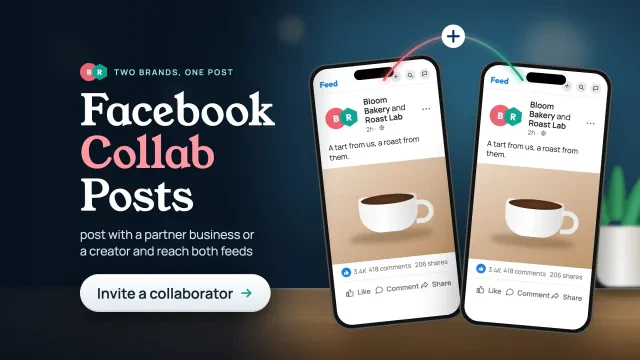
That's the line between this and Facebook collab posts, where two accounts post together for free.
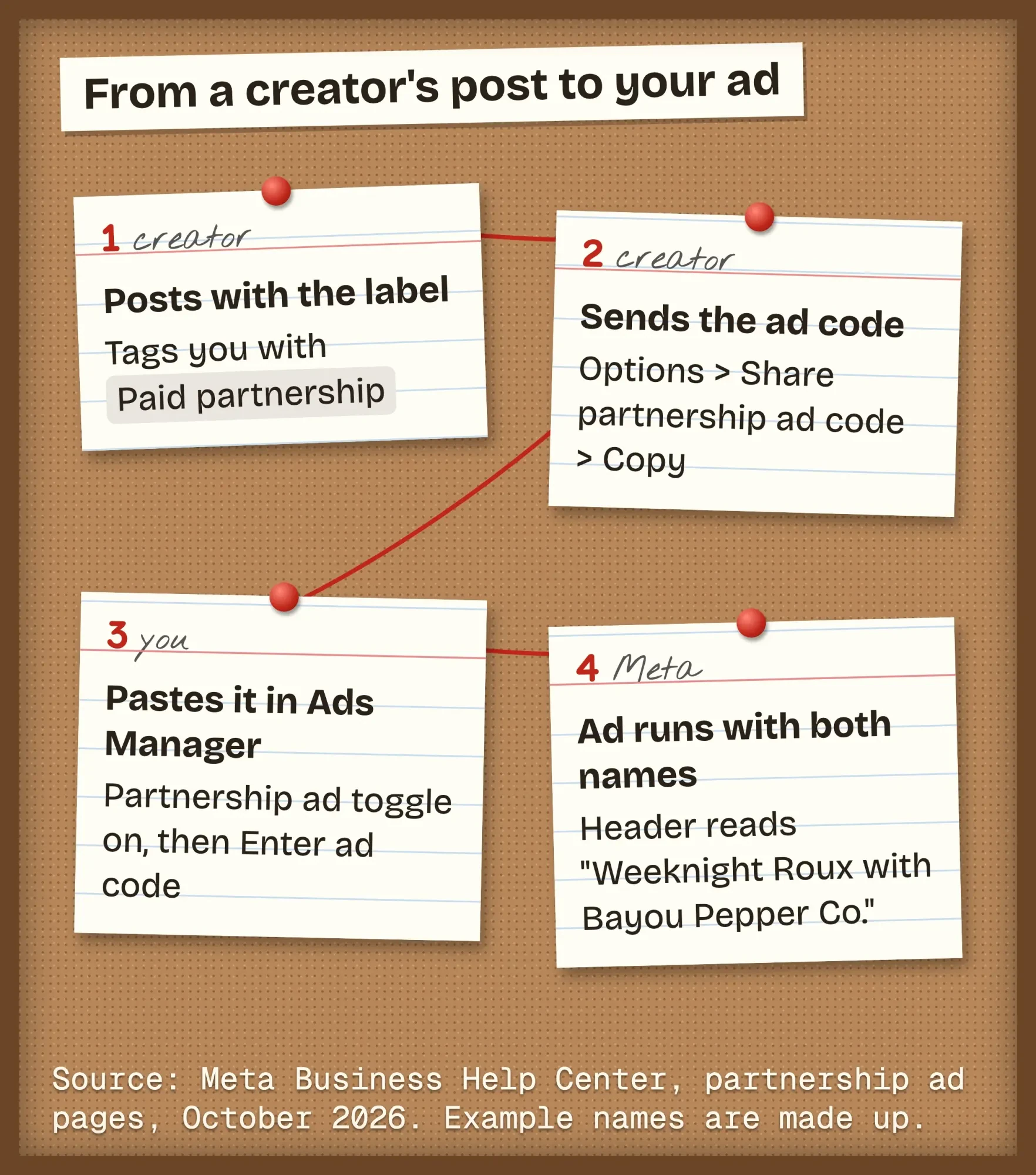 Diagram by DigitalTreed, October 2026, based on Meta Business Help Center pages on creating partnership ads and content-level permissions.
Before you start: eligibility and what Meta won't allow
Before you ask a creator for anything, check that both accounts qualify. Partnership ads only work with public content from a Facebook Page, a profile in professional mode or an Instagram professional account, per Meta's eligibility requirements. The creator also needs "an authentic, established presence," including "a sufficient follower base." Meta doesn't publish a number.
On your side, you need a Facebook Page or an Instagram professional account to run the ad, says Meta's placements page. If an agency runs your ads, Meta's setup guide says you'll need to grant it permissions across your Instagram account, Facebook Page and ad account.
Some products can't use branded content at all. Meta's Branded Content Policies ban promotion of vaping and tobacco, weapons, multilevel marketing, and payday loans, among others. Alcohol is allowed only with an age gate, and for the United States that gate is 21.
Check this first.
A sauce brand is fine. A vape shop is not, however good the creator is.
Content-level or account-level: match the permission to the deal
Once both accounts qualify, the next choice is the permission. Meta offers two kinds, and the permissions page puts it plainly: content-level is "more restrictive" and fits one promotion, while account-level fits "ongoing partnerships." Pick by the deal you signed, not by what sounds bigger.
| As of October 2026 | Content-level | Account-level |
|---|---|---|
| Covers | One post, story or reel | The creator's handle and posts that tag you |
| How the creator grants it | Shares an ad code, or turns on the boost toggle | Accepts your request |
| Ads with no existing post | No | Yes |
| Facebook posts you can use | Any post with a code, or a branded post with the boost toggle on | Posts tagging you with the Paid partnership label |
| Creator's audience in targeting | Not listed | Include or exclude it |
| When the creator turns off access | Code off: running ads keep running | Removed in the Instagram app: running ads pause |
The last row matters more than it looks.
Meta's page on stopping partnership ads says turning off a used code "will not stop any active ads." Its Instagram steps add that when a creator removes account-level access, "ads that are currently running will be paused."
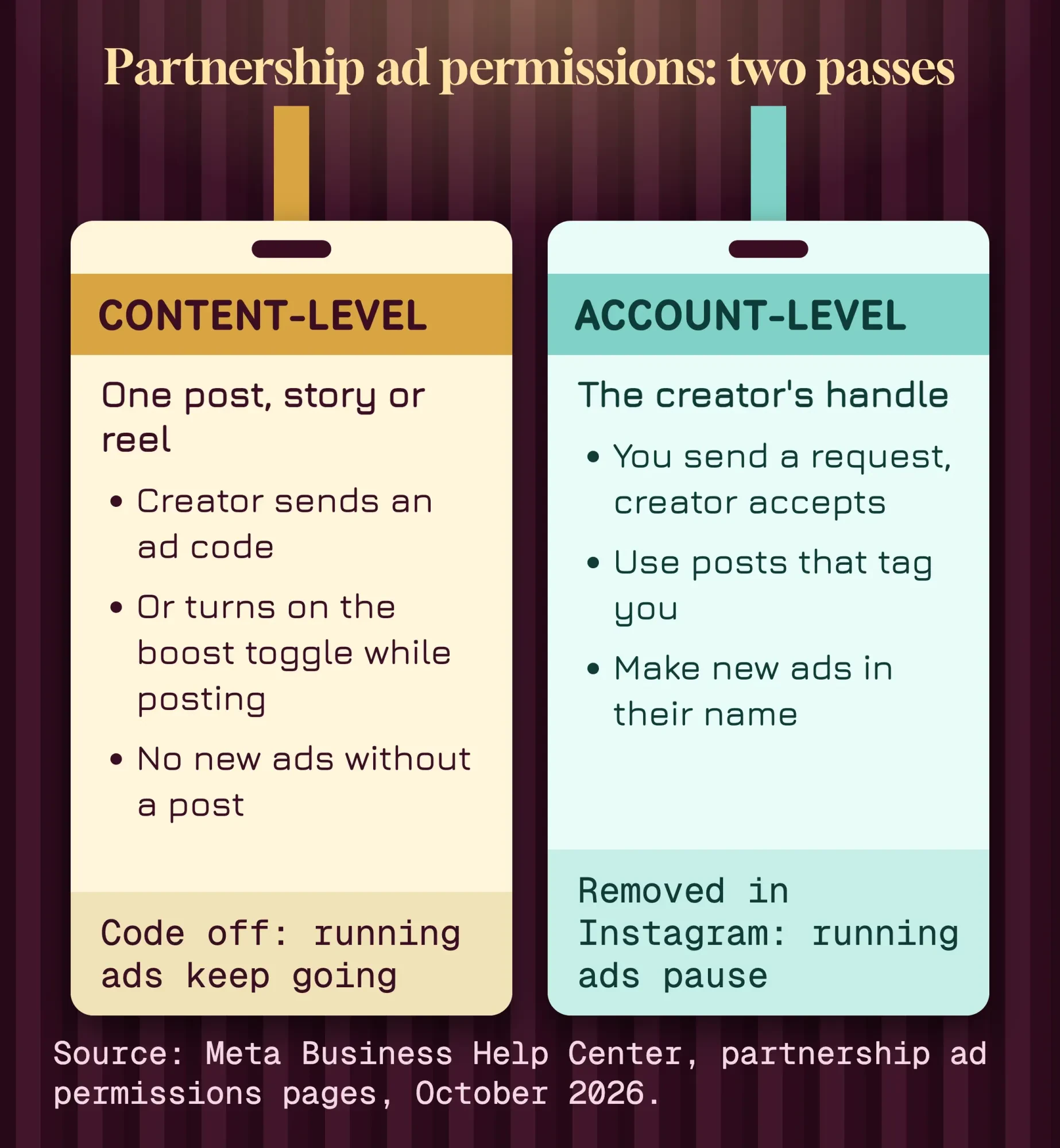 Diagram by DigitalTreed, October 2026, from Meta's help pages on partnership ad permissions and on stopping partnership ads.
For account-level access, you send the request. Meta's account-level help page lists these steps:
- In Meta Business Suite, click Creator Marketing on the left.
- Below the Creators tab, click Manage permissions.
- Click Add partnership, then search for the creator's username and select it.
- Click Next, choose the account you'll partner from, then click Done.
- Click Send request. The creator accepts in the Instagram or Facebook app.
Don't worry if the menu name doesn't match.
That same page is titled "Partnership Ads Hub" in the browser tab and "Creator Marketing Hub" on the page itself, so Meta is mid-rename.
How the creator shares a partnership ad code on Facebook
Next comes the code. A partnership ad code is a short code the creator copies from one post and sends you, so you can turn that post into an ad. On Facebook, Meta's content-level permissions page gives the creator these steps:
- Go to the post in your Feed or on your profile.
- Tap Options in the top right corner of the post.
- Tap Share partnership ad code.
- Toggle on Get partnership ad code.
- Tap Copy, or send the code to the brand in a direct message.
There's a second route that skips the code. While writing the post, the creator taps Tag business partner, picks your brand and turns on "Allow business to boost this post."
That route only works at the moment of posting, which is the trap we explain below.
One code can be used by "up to 2 advertisers at a time," per the same page. If the creator turns the toggle off, no new ads can use it, but ads already running carry on.
How do you run a partnership ad in Ads Manager?
Once the code arrives, you run a partnership ad by building a normal campaign in Meta Ads Manager and switching on the partnership ad toggle at the ad level. Meta's how-to page has 10 steps when you have a code; here they are, condensed:
- In Ads Manager, click + Create and pick your objective.
- Set the conversion location, budget, schedule and audience, then click Next.
- At the ad level, turn on the partnership ad toggle.
- Click Enter ad code or post info, and paste the code, post ID or post URL.
- Select the second identity for the header, and choose how names show.
- Click Done, finish the ad, and click Publish.
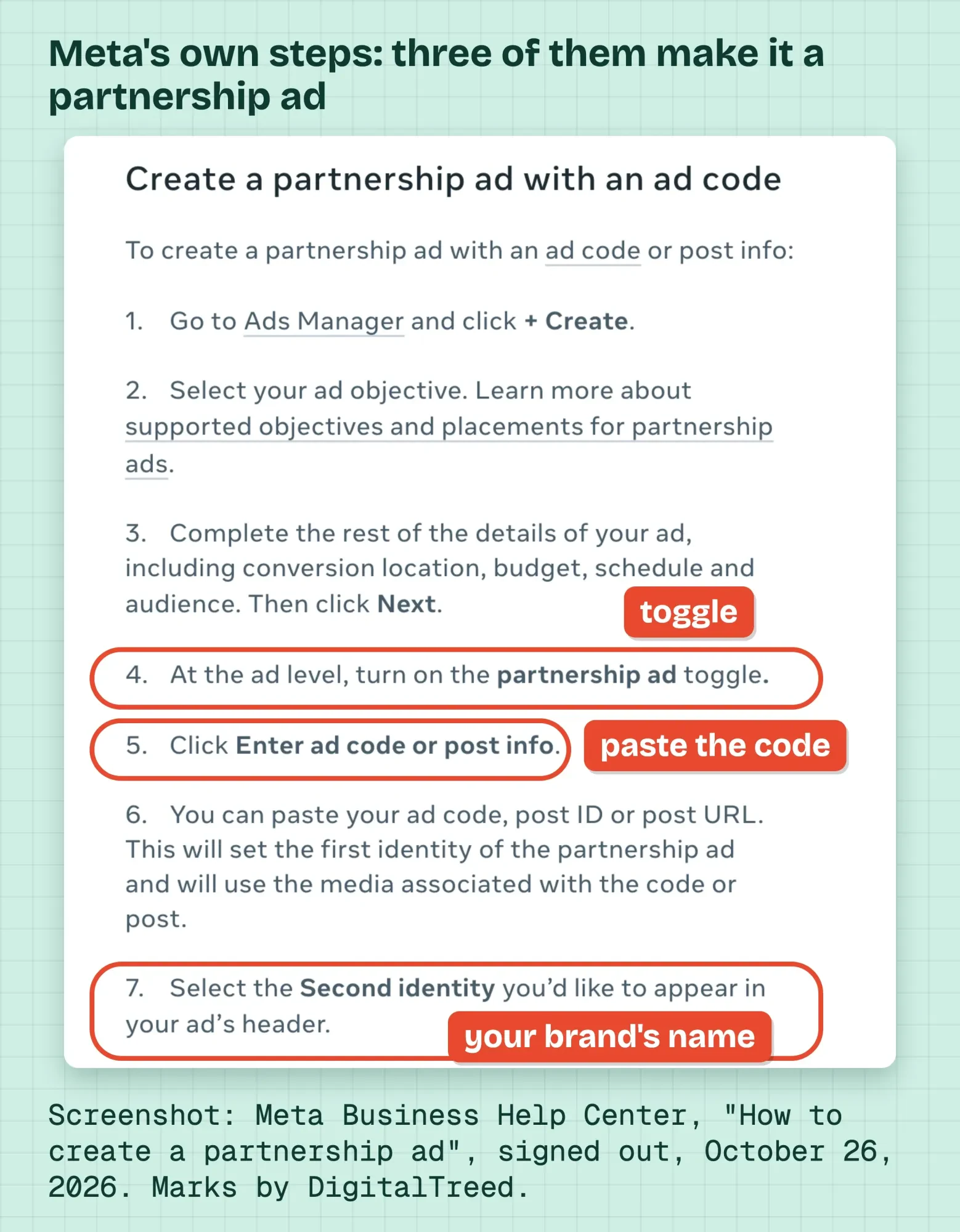 Screenshot: Meta Business Help Center, "How to create a partnership ad", taken signed out on October 26, 2026, cropped to the steps. Annotations by DigitalTreed.
You get three settings for the names in the header: both accounts, the partner only, or dynamic identity, which lets Meta pick. Meta's page on header identities recommends dynamic identity, and it's on by default.
No code? That's fine with account-level access.
Go to Identities, click Edit, then pick Use existing post and select the creator's post. Or upload new video under the creator's name.
Either way, Meta reviews the ad before it runs.
On Facebook, it can show in Feed, Stories, Reels and Marketplace. If you plan a Story placement, our guide to Facebook story size covers the safe zone, and our Facebook call-to-action guide helps you pick the button.
Facebook is stricter than Instagram, and the order matters
Those steps look the same on Instagram, but they aren't. Reading Meta's pages side by side, we logged six places where they disagree or where Facebook works differently from Instagram. Three of them change how you brief a creator.
First, the label has to go on when the post goes up. Meta's content permissions page is blunt about it: "Once content is posted to Facebook, it cannot be turned into branded content." On Instagram, the creator can add the label afterward. Second, "Archived Facebook content cannot be boosted to a partnership ad," even though archived Instagram posts can be with account-level access.
Third, account-level access is pickier on Facebook. The Creator Marketing Hub page says that to boost Facebook content, you "must be tagged using the paid partnership label." On Instagram, an @mention, people tag, product tag or Collab is enough.
Our other three findings are quirks.
They're about names and display. The Hub has two names, and one page says "profile-level" where others say "account-level." Facebook Stories and Marketplace also always show both names, per the placements page.
Our take: put the order in the contract. Creator tags you with the paid partnership label while posting, sends the code the same day, and doesn't archive the post while the ad runs.
Miss the first step and the creator has to post again. Once the ad is live, you can also see who shared the Facebook post to judge how it spread.
Meta's label is a start; the FTC wants the creator's own words
Even with Meta's label in place, a paid creator in the US has to disclose the deal clearly, and the brand is expected to make sure they do. The FTC's guide for influencers, Disclosures 101, starts here: "Disclose when you have any financial, employment, personal, or family relationship with a brand."
What about the gray Paid partnership label? Disclosures 101 has a direct answer. "Don't assume that a platform's disclosure tool is good enough, but consider using it in addition to your own, good disclosure."
Its Endorsement Guides FAQ adds: "To be on the safe side, it's always best to add your own disclosure even if a platform offers its own disclosure tool."
Endorsement Guides from the FTC, at 16 CFR 255.5, describe a creator who relies only on a platform's built-in tool. The text is small and low-contrast and shows for five seconds, and the Guides call that disclosure "not clear and conspicuous."
For video, Disclosures 101 adds: "Viewers are more likely to notice disclosures made in both audio and video."
So ask for it said out loud and shown on screen.
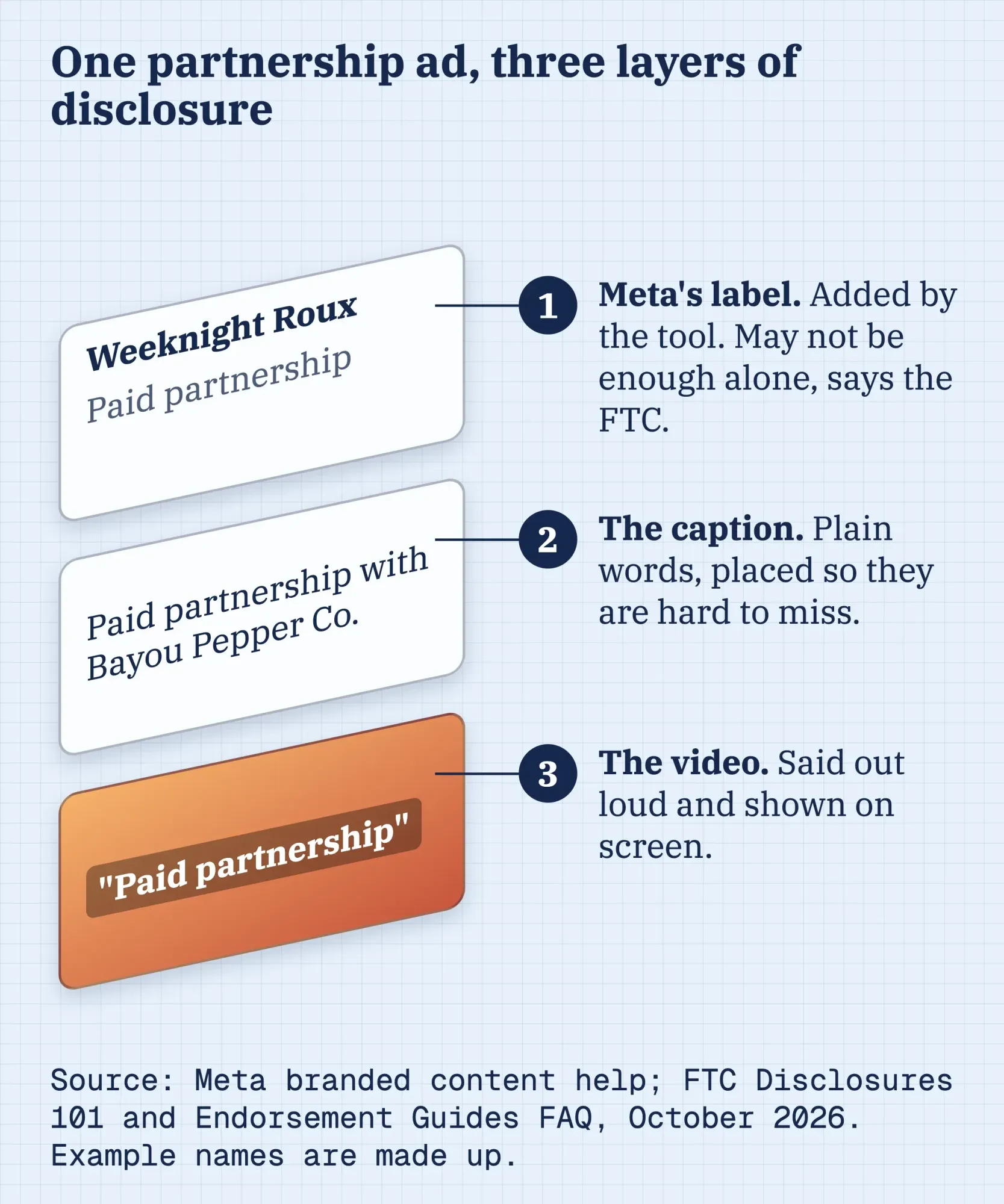 Diagram by DigitalTreed, October 2026. Label from Meta's branded content help; caption and in-video advice from the FTC's Disclosures 101 and Endorsement Guides FAQ.
It's on you too.
The Endorsement Guides FAQ says "Advertisers need to have reasonable programs in place to train and monitor members of their network." The same thinking applies to sponsored blog posts.
Treat this section as a summary of federal guidance, not legal advice for your deal. If a claim in the ad is about health, money or results, have a lawyer look at the script.
What partnership ads cost: your ad budget plus the creator's fee
That disclosure costs nothing, but the ad does. A partnership ad has two separate costs: the ad spend you set in Ads Manager, and whatever you agree to pay the creator. Per Meta's branded content page, "Creators who make content that is used for partnership ads are paid off the platform."
You control the first cost completely.
Budget and schedule are fields you fill in, like any campaign. Start small, watch a week of results, then decide.
The second is a negotiation. For typical rates, see our breakdown of how much influencers charge, and ask the creator for their media kit before you talk numbers.
Here's what catches people out.
Meta's page for advertisers says permissions "don't set compensation or transfer ownership of content." So the ad code gets you into the tool. It doesn't say how long you may run the ad, or whether the creator's music is cleared for ads. Put these in writing:
- how long you may run the content as an ad, and on which placements
- the fee, and whether ad usage costs extra
- the paid partnership label at posting, and the spoken and on-screen disclosure
- no archiving or deleting the post while the ad runs
- that music and anyone on camera are cleared for paid use
Bayou Pepper Co. runs one Reel as an ad (a made-up example)
Now put it together. Bayou Pepper Co. is a hot sauce maker we made up, two people in Baton Rouge, Louisiana. It pays a made-up local cooking creator, Weeknight Roux, for one Reel making red beans with its sauce, plus 30 days of ad usage.
Before filming, the owner sends a one-page brief. Tag Bayou Pepper Co. with the paid partnership label while posting. Say "paid partnership with Bayou Pepper Co." in the first few seconds, and send the ad code the same day. The creator posts on a Tuesday, and the code arrives that evening.
The Reel is already 9:16. Meta's Ads Guide for Facebook Reels recommends 1440 x 2560 pixels and 40 characters of primary text. It also asks you to keep the bottom 35% of the frame free of key text.
Next, the owner builds a Sales campaign, pastes the code, keeps dynamic identity on, and points the ad to the sauce page with a link tagged in our UTM builder. Those tags let Google Analytics 4 show which sales came from the creator.
Ads Manager shows the ad's numbers. Meta's measurement page says the creator keeps their usual post insights, which you won't see.
So ask for a screenshot at the end of the 30 days.
Between campaigns, the shop keeps posting on its own Page with Facebook post ideas for small businesses and runs a Facebook Group for its regulars. The creator is the spark; those keep the fire going.
Frequently asked
Does a partnership ad code give the brand the creator's password?
No. The creator copies the code from the post and sends it, per Meta's content-level permissions page. The brand never logs in to the creator's account, and the creator can turn the code off for new ads at any time.
Are partnership ads the same as whitelisting?
None of the 18 Meta help pages we read uses the word whitelisting. The closest thing in Meta's tools is account-level permission. It lets a brand create ads from the creator's handle without an existing post, per Meta's permissions page, as of October 2026.
Can the creator stop a partnership ad that is already running?
Yes. In the Instagram app, removing account-level access pauses running ads, and the creator can stop an active ad from their professional dashboard, per Meta's help page. Turning off a used ad code alone doesn't stop ads already running.
Want a team to brief creators, set up the permissions and run the ads? That's part of the social media service we sell. Hiring us puts money in our pocket, so get a second quote before you decide.
How we made this guide: on October 26, 2026, we read 18 Meta Business Help Center and Ads Guide pages on partnership ads, permissions, ad codes, eligibility and branded content. We read them signed out and logged every place they disagree. We read two FTC pages, the influencer guide and the Endorsement Guides FAQ, and checked 16 CFR 255.5 on eCFR. The screenshot is from a public Meta help page. Each Meta limit, FTC quote and spec here links to the page we read it on.
We didn't create an ad or use anyone's account for this guide, so Ads Manager screens may look different from Meta's written steps. Meta itself warns that a new setup flow is rolling out. Eram N., the author, read and approved this rewrite before it went live.
First published July 2020. Rewritten October 26, 2026: the old post was a general look at influencer marketing with 2018 user numbers. This version covers Meta's partnership ads from both sides: permissions, the ad code, Ads Manager steps, Facebook-only limits, FTC disclosure, costs and a worked example.
Sources
- Meta Business Help Center: About partnership ads
- Meta Business Help Center: How to create a partnership ad
- Meta Business Help Center: About partnership ad permissions
- Meta Business Help Center: About partnership ad permissions for advertisers
- Meta Business Help Center: Manage account-level permissions for partnership ads in Creator Marketing Hub
- Meta Business Help Center: Manage content-level permissions for partnership ads
- Meta Business Help Center: Stop an advertiser from running partnership ads
- Meta Business Help Center: Eligibility requirements for partnership ads and branded content
- Meta Business Help Center: Supported objectives and placements for partnership ads
- Meta Business Help Center: About displaying accounts in a partnership ad's header
- Meta Business Help Center: About branded content
- Meta Business Help Center: What branded content posts look like
- Meta Business Help Center: Branded Content Policies
- Meta Business Help Center: Measure partnership ad performance
- Meta Ads Guide: Video ad specs on Facebook Reels
- FTC: Disclosures 101 for Social Media Influencers (November 2019)
- FTC: FTC's Endorsement Guides: What People Are Asking
- eCFR: 16 CFR 255.5, Disclosure of material connections
Comments
No comments yet. Start the conversation below.